Latest articles:

  • White Label Hosting: How to add Cloud services to your offering

    A practical guide to building a profitable hosting reseller business using Belcloud’s white label hosting platform and Hosting API.

    White Label Hosting: A Smarter Way to Start a Hosting Business

    White label hosting enables agencies, managed service providers (MSPs), IT consultants, and entrepreneurs to offer fully branded hosting services without building or maintaining their own infrastructure. Instead of investing in servers, networking equipment, data centers, and dedicated infrastructure teams, businesses can focus on acquiring customers while an experienced cloud provider manages the backend.

    As more organizations migrate applications to the cloud and launch digital services, demand for reliable hosting continues to grow. Customers expect high availability, fast provisioning, predictable pricing, and responsive support. Meeting those expectations can be challenging for new providers without enterprise-grade infrastructure.

    Belcloud makes it easy to enter the hosting market by combining enterprise cloud infrastructure with a fully branded reseller platform. Partners can sell hosting under their own brand while Belcloud manages the infrastructure, networking, security, and platform operations behind the scenes.

    Why White Label Hosting Is Growing in Popularity

    Launching a traditional hosting company requires significant investment in hardware, networking, software licensing, monitoring tools, and ongoing maintenance. White label hosting eliminates these barriers by allowing businesses to leverage an established cloud platform instead of building one from scratch.

    This allows resellers to focus on what drives business growth:

    • Building their own brand
    • Selling hosting services
    • Supporting customers
    • Generating recurring monthly revenue
    • Expanding into new markets
      While partners focus on growing their business, Belcloud maintains the underlying infrastructure, performs hardware maintenance, and ensures platform reliability. This approach reduces operational complexity and enables businesses to scale more efficiently.

    How Belcloud’s White Label Hosting Platform Works

    Belcloud provides a fully managed cloud platform that allows partners to deliver hosting services under their own brand. Customers interact with your company, pricing, branding, and support process, while Belcloud manages the infrastructure powering every service.
    Through the white label control panel, partners can manage

    • Customer accounts
    • Virtual Private Servers (VPS)
    • Cloud instances
    • Resource allocation
    • Service upgrades
    • Billing integrations
    • Support requests
    • Infrastructure monitoring

    Because the portal is fully customizable, customers enjoy a consistent branded experience throughout the entire service lifecycle, helping resellers establish credibility without the complexity of managing cloud infrastructure.

    Automate Provisioning with Belcloud’s Hosting API

    As your hosting reseller business grows, manually creating accounts and provisioning virtual machines quickly becomes inefficient. Repetitive administrative tasks consume valuable time and increase the likelihood of configuration errors.

    Belcloud’s API system automates service provisioning by connecting directly with your billing or management platform. Once a customer places an order, the platform automatically provisions the requested services without manual intervention.

    A typical provisioning workflow looks like this:

    1. A customer purchases a hosting plan.
    2. The billing platform submits the order through Belcloud’s API.
    3. The requested cloud service is automatically deployed.
    4. Resources are allocated according to the selected plan.
    5. Login credentials are generated.
    6. The customer receives access.

    The Hosting API supports a wide range of automation tasks, including:

    • VPS deployment
    • Cloud instance provisioning
    • Service suspension and reactivation
    • Resource upgrades
    • Plan modifications
    • Customer lifecycle management

    By automating provisioning, resellers reduce administrative workload, accelerate customer onboarding, and deliver a faster, more consistent service experience. Automation also makes it easier to support a growing customer base without significantly increasing operational effort.

    Building a Scalable Hosting Business

    Launching a successful hosting business doesn’t require building and managing scalable hosting infrastructure. With Belcloud powering the platform behind the scenes, you can focus on branding, selling, and growing your hosting services while we handle the infrastructure, automation, and reliability.


    A recommended launch strategy includes:

    1. Join Belcloud’s Reseller Program.
    2. Define your hosting packages and pricing.
    3. Build or enhance your online presence and brand identity.
    4. Configure your white label hosting portal.
    5. Integrate your billing platform with Belcloud’s Hosting API.
    6. Test automated provisioning.
    7. Launch your hosting services.
    8. Continue growing your customer base.

    With the infrastructure and automation already in place, your team can spend less time managing servers and more time acquiring customers, strengthening client relationships, and growing recurring revenue.


    Common Challenges Hosting Providers Face

    Whether you’re launching a new hosting brand or expanding an existing business, operational challenges can affect profitability and customer satisfaction.


    Infrastructure Reliability
    Unexpected outages can disrupt customer operations and damage trust. Enterprise-grade infrastructure with built-in redundancy helps maximize uptime and service availability.


    Performance Bottlenecks
    As workloads increase, insufficient resources can slow applications and websites. Scalable cloud infrastructure ensures consistent performance as customer demand grows.


    Security Risks
    Hosting providers face ongoing threats such as DDoS attacks, malware, unauthorized access, and data breaches. Enterprise-grade security and proactive infrastructure management help reduce these risks.


    Manual Operations
    Handling provisioning manually slows deployments and increases the chance of human error. Automation streamlines service delivery and improves operational efficiency.


    Cost Management
    Unexpected infrastructure expenses make long-term planning difficult. Predictable monthly pricing helps resellers manage costs while maintaining healthy profit margins.


    Scaling Operations
    As customer numbers increase, managing services manually becomes increasingly complex. Centralized management tools and automated provisioning simplify growth without adding unnecessary operational overhead.


    Belcloud provides the infrastructure and automation needed to help partners overcome these challenges while building a reliable and scalable hosting business.


    Real-World Use Case

    Imagine a digital agency that builds websites for small and medium-sized businesses. Instead of sending clients to a third-party hosting provider, the agency offers fully branded hosting services through Belcloud’s white label platform, creating a new source of recurring revenue while Belcloud manages the underlying infrastructure.
    The agency can:

    • Sell hosting under its own brand
    • Automatically provision customer services
    • Manage cloud resources from a single dashboard
    • Scale infrastructure as demand increases
    • Generate predictable recurring monthly revenue
    • Focus on customer relationships while Belcloud manages the underlying platform
      Rather than treating hosting as a one-time recommendation, the agency creates an additional recurring revenue stream that strengthens long-term customer relationships.

    A popular white‑label use case is extending your services with Belcloud’s infrastructure. For example, if your company specializes in Web Development, you can seamlessly expand to also offer Web Hosting, creating a more complete solution for your clients.


    Why Choose Belcloud

    Belcloud combines enterprise-grade cloud infrastructure, automation, and white label capabilities to help partners build and grow successful hosting businesses.
    Key advantages include

    • Fully branded white label hosting platform
    • Enterprise cloud infrastructure
    • Automated provisioning through the Hosting API
    • Predictable monthly pricing
    • Scalable VPS and cloud solutions
    • High-performance infrastructure
    • Secure European hosting environment
    • Expert technical support
    • Infrastructure managed by experienced cloud professionals
      Whether you’re launching your first hosting reseller business or expanding an existing managed services company, Belcloud provides the tools and infrastructure needed to grow with confidence.

    Start Your White Label Hosting Business Today

    White label hosting gives businesses a faster, more cost-effective way to enter the hosting market without investing in expensive infrastructure or managing complex backend systems.
    With Belcloud’s fully branded reseller platform and Hosting API, you can automate service delivery, provide a seamless customer experience, and build a profitable recurring revenue business on enterprise-grade cloud infrastructure.


    If you’re ready to launch or expand your hosting reseller business, Belcloud provides the technology, automation, and support to help you build a scalable hosting brand.

    Learn more about Belcloud‘s cloud infrastructure and reseller solutions.

  • Dedicated Server Performance: Enterprise-Grade Speed for Business Applications

    Enterprise-Grade Speed for Business-Critical Applications

    When your business depends on ERP, CRM, or e-commerce platforms, dedicated server performance is more than a technical consideration. It is a business necessity. High-performance hosting, reliable uptime, and disaster recovery capabilities work together to keep operations running smoothly while delivering the speed modern businesses expect.

    As organizations process larger datasets, support more users, and rely on real-time applications, shared infrastructure often becomes a bottleneck. Slow response times, limited resources, and unexpected downtime can affect productivity, customer satisfaction, and revenue. For SMEs planning to grow, dedicated servers provide the computing power, reliability, and control needed to support mission-critical workloads.


    What Is Dedicated Server Performance?

    Dedicated server performance refers to the ability of a physical server to deliver computing resources exclusively to a single customer. Unlike shared hosting, dedicated servers do not compete with other users for CPU, memory, storage, or network bandwidth.

    This dedicated approach provides several advantages:

    • Faster processing speeds
    • Lower latency
    • Predictable application performance
    • Stable workloads
    • Strong security isolation

    Because every hardware resource is reserved for one organization, businesses can maintain consistent performance for resource-intensive applications such as ERP systems, CRM platforms, databases, and e-commerce websites.


    How Dedicated Servers Deliver Enterprise-Grade Speed

    High-performance dedicated servers combine enterprise-class hardware with optimized infrastructure to deliver reliable and consistent performance.

    Typical enterprise dedicated servers include:

    • Multi-core processors that efficiently handle parallel workloads
    • ECC memory that detects and corrects memory errors
    • NVMe SSD storage for ultra-fast data access and low latency
    • Dedicated network interfaces that reduce congestion
    • Hardware RAID configurations for storage redundancy and improved read and write performance
    • Virtualization support for securely running multiple isolated workloads

    Unlike shared hosting, dedicated servers eliminate the “noisy neighbor” effect, where one customer’s workload impacts another. This allows applications to maintain predictable performance even during periods of heavy demand.

    For ERP, CRM, and e-commerce platforms, this means faster database queries, shorter page load times, and a better experience for both employees and customers.


    Why Dedicated Server Performance Matters

    Dedicated server performance directly impacts day-to-day business operations.

    Faster Business Operations

    Employees spend less time waiting for applications to load, helping teams work more efficiently and complete tasks faster.

    Better Business Continuity

    Reliable enterprise infrastructure reduces the risk of unexpected downtime, helping organizations maintain business continuity even during periods of high demand.

    Improved Disaster Recovery

    Dedicated servers can be integrated with disaster recovery environments to replicate critical systems and restore operations quickly if hardware failures or cyber incidents occur.

    Reliable Performance During Peak Traffic

    Businesses experiencing seasonal demand, marketing campaigns, or monthly processing cycles benefit from stable performance without resource contention.


    Common Mistakes When Choosing Dedicated Hosting

    Not every dedicated hosting provider delivers the same level of performance.

    Some of the most common mistakes include:

    • Choosing servers based only on price
    • Ignoring storage performance and relying on outdated drives
    • Neglecting backup and disaster recovery planning
    • Underestimating future resource requirements
    • Focusing only on CPU specifications while overlooking network performance
    • Selecting providers without a reliable uptime guarantee

    When evaluating dedicated server hosting, businesses should consider the complete infrastructure, including hardware quality, network connectivity, scalability, technical support, and reliability.


    How Belcloud Delivers Dedicated Server Performance

    Imagine a growing retail company running an online store connected to ERP and CRM systems. During seasonal sales, thousands of customers browse products while employees process inventory updates and customer orders in real time.

    With Belcloud’s dedicated server infrastructure, the company benefits from:

    • Dedicated production servers
    • High-speed NVMe storage
    • Daily automated backups
    • Disaster recovery servers in a secondary environment
    • High-speed network connectivity
    • Infrastructure designed for maximum uptime

    If an unexpected outage occurs, replicated backups allow workloads to be restored quickly, reducing downtime and helping maintain business continuity. This approach provides enterprise-grade speed, reliability, and scalability without the limitations of shared hosting.


    Key Takeaways

    • Dedicated servers provide exclusive hardware resources for maximum performance.
    • High-performance hosting improves application speed, stability, and responsiveness.
    • ERP, CRM, databases, and e-commerce platforms benefit from predictable performance.
    • Business continuity depends on reliable infrastructure and effective disaster recovery planning.
    • Enterprise-grade hardware supports long-term growth and scalability.
    • A dependable uptime guarantee helps maintain customer trust and operational reliability.

    Ready to Improve Your Dedicated Server Performance?

    Whether you’re running mission-critical business applications or preparing for future growth, Belcloud’s dedicated servers provide the speed, reliability, and scalability modern businesses require.

    Learn how Belcloud can help you build secure, high-performance hosting solutions with enterprise-grade dedicated servers designed for business continuity and long-term success.

    Subscribe to the Belcloud Insights weekly newsletter for practical tips, cloud infrastructure best practices, and the latest updates on dedicated servers, virtualization, disaster recovery, and enterprise hosting.

  • Disaster Recovery Hosting: Cloud-Based Backup and Failover Solutions for SMEs


    Safeguard your business with resilient cloud-based disaster recovery strategies that minimize downtime, protect critical data, and keep operations running seamlessly.

    Downtime is never convenient. For small and medium-sized enterprises (SMEs), even a few hours of disruption can result in lost revenue, reduced productivity, damaged customer trust, and operational setbacks. Outages can occur at any time, whether caused by hardware failures, cyberattacks, human error, or natural disasters.

    As businesses rely more heavily on cloud applications, remote work, and digital services, business continuity has become a strategic priority. Traditional backup solutions alone are no longer suffice because recovering data is only part of the equation. Organizations also need to restore the applications and infrastructure that keep operations running. Cloud-based disaster recovery servers, combined with automated failover, provide SMEs with enterprise-grade protection without the expense of maintaining a secondary data center.


    Disaster Recovery Hosting: Your Business Safety Net in the Cloud

    Every business prepares for growth, but far fewer prepare for unexpected disruption. Disaster Recovery Hosting bridges that gap by creating a continuously synchronized replica of your production environment within secure cloud infrastructure. Applications, virtual machines, databases, configurations, and critical workloads remain ready to be activated if the primary environment becomes unavailable.

    Recovery is no longer limited to restoring files from backup. Instead, it becomes a controlled transition to a fully prepared recovery environment, allowing operations to resume quickly while minimizing downtime and data loss.

    A modern disaster recovery environment typically includes:

    • Continuous replication or scheduled synchronization
    • Virtual machine replication
    • Secure cloud storage
    • Automated failover
    • Disaster recovery servers
    • Centralized monitoring
    • Recovery orchestration

    The objective is to achieve low Recovery Time Objectives (RTO) and Recovery Point Objectives (RPO), allowing organizations to restore critical services rapidly while minimizing data loss.

    Inside Cloud-Based Backup and Failover

    Cloud disaster recovery combines intelligent backup technologies with infrastructure replication to keep business-critical workloads available during unexpected outages.

    A typical recovery workflow includes:

    1. Production servers continuously replicate data to secure cloud infrastructure.
    2. Incremental changes are synchronized at scheduled intervals to minimize bandwidth consumption.
    3. Backups are encrypted both in transit and at rest to protect sensitive information.
    4. Monitoring services continuously track infrastructure health and application availability.
    5. If the production environment experiences an outage, automated failover redirects workloads to replicated cloud resources.
    6. Once the primary environment has been restored, automated failback synchronizes workloads back to production.

    The recovery process is supported by technologies such as:

    • Hypervisor replication
    • Snapshot scheduling
    • Block-level replication
    • Software-defined networking (SDN)
    • Virtual Private Cloud (VPC) networking
    • Load balancing
    • Multi-region data replication
    • Infrastructure as Code (IaC)

    Together, these technologies provide enterprise-level resilience without requiring businesses to invest in duplicate physical infrastructure.


    Business Continuity Starts with Disaster Recovery

    Many SMEs believe disaster recovery is only necessary for large enterprises. In reality, smaller organizations often face greater operational risk because they have fewer IT resources and less room for prolonged downtime.

    Cloud-based disaster recovery helps SMEs reduce operational risk while improving resilience in several key areas:

    Improved Business Continuity. Critical applications remain accessible during infrastructure failures, allowing employees to continue working while customers experience little to no interruption.

    Faster RecoveryAutomated failover significantly reduces recovery times compared to traditional backup restoration processes.

    Lower Infrastructure Costs. Organizations gain access to highly available recovery environments without investing in a dedicated secondary data center, reducing both capital expenditure and ongoing maintenance costs.

    Enhanced Security. Modern disaster recovery platforms incorporate encrypted backups, immutable storage options, role-based access controls, and integration with broader cybersecurity frameworks.

    Better Regulatory Compliance. Businesses can meet data retention, availability, and recovery requirements through geographically redundant storage, audit logging, and scheduled backup policies.


    The Weak Links in Many Disaster Recovery Strategies

    Even organizations with backup solutions can experience extended outages if their disaster recovery strategy is incomplete.

    Some of the most common mistakes include:

    • Relying exclusively on local backups
    • Never testing disaster recovery procedures
    • Protecting data but not the applications that rely on it
    • Storing backups in the same physical location as production infrastructure
    • Failing to define Recovery Time Objectives (RTO) and Recovery Point Objectives (RPO)
    • Depending on manual recovery processes instead of automation
    • Overlooking dependencies between applications, databases, networking, and authentication services

    An effective disaster recovery strategy focuses on restoring complete business operations rather than simply recovering files.


    Disaster Recovery in Action with Belcloud

    Imagine a growing e-commerce business hosting its online store, customer database, and inventory management platform on virtual servers.

    Belcloud deploys cloud-based disaster recovery servers in geographically separate regions while continuously replicating production workloads. Incremental replication protects customer transactions and business data without placing unnecessary strain on network resources.

    If the primary infrastructure becomes unavailable because of hardware failure, ransomware, or another unexpected event, automated failover immediately launches replicated virtual machines within the recovery environment. DNS records and network routing are then updated to redirect customer traffic, allowing the online store to continue accepting orders with minimal interruption.

    Once the primary environment has been restored and validated, automated failback synchronizes workloads back to production, preserving data integrity while reducing operational complexity.

    This approach enables SMEs to strengthen business continuity, maintain a reliable uptime guarantee, and recover rapidly without the cost and complexity of operating a dedicated secondary data center.

    Build a More Resilient Business with Belcloud

    Downtime is costly, but it does not have to be inevitable. With cloud-based backup, intelligent failover, and scalable disaster recovery hosting, SMEs can protect critical workloads, maintain service availability, and recover quickly from unexpected disruptions.

    Whether you are safeguarding a handful of virtual machines or an entire production environment, Belcloud delivers secure, resilient cloud infrastructure designed to keep your business operating when it matters most.

    Learn how Belcloud can help you build resilient cloud infrastructure with secure backup, disaster recovery servers, and dependable uptime guarantees.


    Enjoyed this article? Stay ahead with Belcloud Insights, our weekly LinkedIn newsletter with new insights published every week.

    Follow Belcloud on LinkedIn and subscribe to Belcloud Insights so you never miss an edition.

  • Disaster Recovery and Backup: Confidence in Continuity

    Protect your critical data and recover with confidence when disruptions strike.

    Businesses today face constant threats from ransomware, cyberattacks, hardware failures, human error, and unexpected outages. While these events are often unpredictable, their impact doesn’t have to be.

    The ability to recover quickly has become just as important as preventing disruption in the first place. Organizations that invest in reliable backup and disaster recovery strategies are better equipped to minimize downtime, protect critical data, and maintain business continuity.

    Backups Are Essential, But They Are Not Enough

    Many organizations believe that having backups automatically means they are protected. Unfortunately, that is only part of the equation.

    A backup simply stores a copy of your data. Disaster recovery ensures that your systems, applications, and operations can be restored quickly when something goes wrong.

    Without a tested recovery plan, backups can become little more than archived files that may not be usable when they are needed most.

    An effective disaster recovery strategy includes:

    • Reliable and automated backups
    • Regular backup validation
    • Clearly defined Recovery Time Objectives (RTO) and Recovery Point Objectives (RPO)
    • Automated recovery workflows
    • Geographic redundancy
    • Routine disaster recovery testing

    The true measure of resilience is not how many backups you have, but how quickly you can restore your business.

    Why Disaster Recovery Matters

    Downtime is expensive.

    Whether caused by ransomware, infrastructure failures, accidental deletion, or natural disasters, prolonged outages can disrupt operations, impact customer trust, and result in significant financial losses.

    Many organizations discover weaknesses in their recovery process only after a disaster has already occurred. Common issues include corrupted backups, incomplete recovery procedures, and recovery times that fall far short of business expectations.

    A backup that has never been tested should never be considered a recovery strategy.

    Common Backup and Recovery Challenges

    Despite significant investments in IT infrastructure, many organizations still face avoidable risks.

    Some of the most common challenges include:

    • Assuming backups alone guarantee recovery
    • Storing backups in a single location
    • Never testing backup restoration
    • Undefined or unrealistic RTO and RPO targets
    • Manual recovery processes that delay operations

    Each of these gaps can increase downtime and make recovery more difficult during a critical event.

    Building a Resilient Recovery Strategy

    A resilient disaster recovery plan goes beyond simply creating backup copies.

    Organizations should adopt a layered approach that combines secure backup storage with automated recovery, infrastructure redundancy, and regular testing.

    Key components include:

    • Immutable backups to protect against ransomware
    • Off-site or geo-distributed backup storage
    • Automated recovery orchestration
    • Continuous monitoring and validation
    • Regular disaster recovery drills

    When these elements work together, organizations gain confidence that their systems can be restored quickly with minimal disruption.


    Belcloud’s Approach

    At Belcloud, we believe resilience starts long before a disaster occurs.

    Our backup and disaster recovery solutions are designed to protect critical workloads while ensuring organizations can recover quickly when unexpected events happen.

    Using enterprise technologies such as Proxmox virtualization, immutable backups, geo-distributed infrastructure, and automated recovery workflows, we help businesses build recovery strategies that are reliable, scalable, and regularly validated.

    We don’t simply store backup data. We help organizations ensure that every backup can be restored when it matters most.

    Because business continuity is measured by how quickly you recover, not by how many backups you have.

    Ready to Strengthen Your Disaster Recovery Strategy?

    A reliable backup is the first step. A tested disaster recovery plan is what keeps your business running.

    Whether you are modernizing your infrastructure, improving backup protection, or building a comprehensive disaster recovery strategy, Belcloud delivers secure, scalable solutions designed for business continuity.


    Enjoyed this article?

    Subscribe to our weekly LinkedIn newsletter, BelCloud Insights, for the latest updates on cloud, and digital infrastructure.

  • Vendor Lock-In: Egress Costs and the Migration Project


    Modern cloud infrastructure enables businesses to scale quickly, deploy globally, and innovate faster than ever. However, behind this flexibility lies a major constraint that many organizations only discover when they attempt to move their data: egress costs.

    Egress costs refer to the fees incurred when data is transferred out of a cloud provider’s environment. This becomes a critical issue during migration projects, where large datasets must be moved between systems or providers.

    One of the most widely used platforms globally is Amazon, which offers extensive infrastructure services across compute, storage, and networking. However, its pricing model includes data transfer fees that can significantly increase the cost of exiting or migrating workloads.

    As businesses scale their use of cloud for AI, analytics, and distributed systems, these migration costs become not just a technical challenge, but a strategic business constraint.


    What Are Egress Costs?

    Egress costs are charges applied when data leaves a cloud environment. While storing and processing data inside the cloud is relatively cost-efficient, moving data out is where costs accumulate.

    Common scenarios that trigger egress fees include:

    • Migrating data to another cloud provider
    • Transferring datasets to on-premise infrastructure
    • Cross-region replication
    • Large-scale backups or disaster recovery exports

    At small scale, these costs are manageable. At enterprise scale, however, they can become a significant financial burden.

    Egress costs are one of the strongest, yet often underestimated, drivers of vendor lock-in in cloud computing.

    They create lock-in not through contracts, but through economics.


    Why Egress Costs Create Vendor Lock-In

    1. Exit Becomes Expensive

    When organizations realize that moving terabytes or petabytes of data out of a cloud provider will result in significant charges, migration stops being a technical decision and becomes a financial one.

    2. Architecture Becomes Provider-Centric

    Systems are designed to minimize data movement rather than optimize performance or flexibility. This ties workloads more deeply into a single ecosystem.

    3. Multi-Cloud Becomes Cost-Prohibitive

    Even when multi-cloud strategies make sense for resilience or performance, egress costs make continuous data exchange between providers expensive.

    4. Data Gravity Effect

    As data accumulates in one provider, applications, analytics, and services naturally follow it, making relocation increasingly difficult over time.

    5. Reduced Negotiation Power

    When switching providers is expensive, businesses lose leverage in pricing discussions and long-term infrastructure planning.

    In short, egress costs don’t just charge for data movement, they discourage it entirely, reinforcing dependency on a single cloud provider.


    How Migration Projects Are Impacted

    During a cloud migration, businesses often run parallel environments to ensure stability and reduce downtime.

    This typically includes:

    • Replicating databases
    • Testing workloads in the new environment
    • Running dual systems during validation
    • Final cutover after verification

    In traditional cloud setups, this means paying for:

    • Active production infrastructure
    • Duplicate staging environments
    • Continuous data transfer between systems

    The result is a temporary but significant cost spike, where organizations pay more during migration than during normal operations.


    How Belcloud Removes Migration Cost Barriers

    With Belcloud, migration is designed to eliminate financial friction from the very beginning.

    Belcloud provides a dedicated project manager for complex migration and implementation projects at no additional cost, ensuring that enterprises have expert guidance throughout the entire transition process. This removes operational uncertainty and helps teams execute migrations with structure, speed, and confidence.

    The model is straightforward:

    • No payment during the migration period
    • No egress-style charges while data is being transferred
    • Costs begin only after migration is fully completed

    This allows organizations to migrate workloads without the pressure of dual infrastructure costs or unpredictable transfer fees.

    Instead of optimizing around exit penalties, teams can focus on building efficient and scalable architectures.ding efficient, scalable, and future-ready architectures.


    Use Case: Enterprise Migration Without Financial Friction

    A growing enterprise running analytics and AI workloads on Amazon decides to migrate due to rising operational costs and scaling limitations.

    In a traditional migration scenario, the company would face:

    • High egress fees for transferring large datasets
    • Parallel infrastructure costs during transition
    • Delayed migration timelines due to budget constraints

    With Belcloud:

    • Data is migrated without egress fees
    • No payment is required during the migration phase
    • A dedicated project manager supports the implementation process
    • Teams can validate performance before committing financially
    • Final deployment happens only after full readiness

    This creates a smoother, lower-risk transition that prioritizes technical validation over financial constraint management.


    Cloud migration should enable growth, not restrict it through hidden costs and data transfer penalties.

    Egress fees have become one of the most significant hidden barriers in modern cloud strategy, shaping architecture decisions and limiting flexibility at scale.

    By removing migration costs and providing dedicated project management support for complex transitions, Belcloud helps organizations move beyond vendor lock-in and focus on what matters most: performance, scalability, and innovation.


    Learn how Belcloud can help your business scale without migration barriers or egress fees.

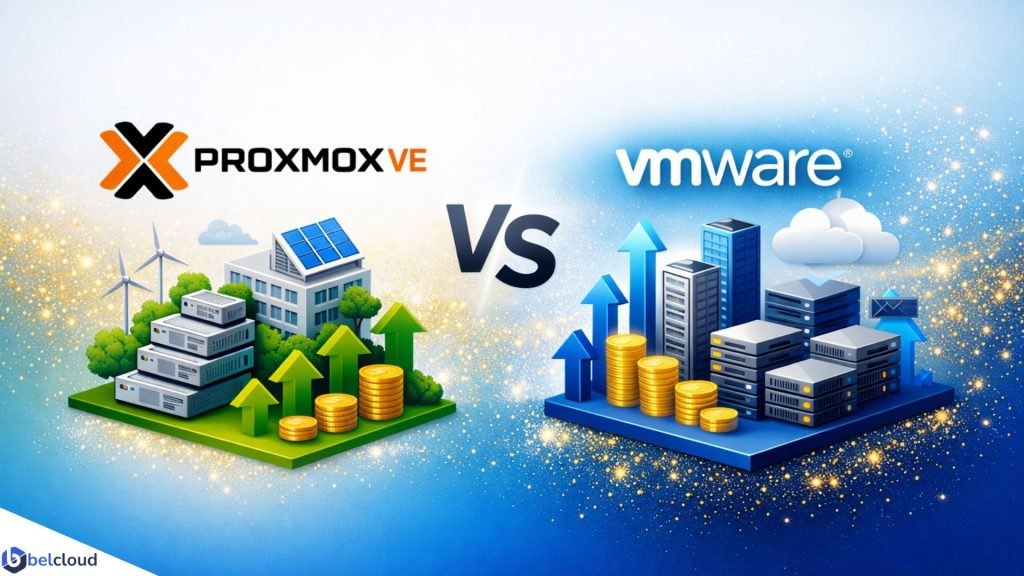
  • Proxmox VE vs VMware vSphere: Continuing the Infrastructure Strategy Discussion

    A practical guide to balancing cost, scalability, and enterprise performance.


    Following our earlier discussion on Proxmox VE and VMware vSphe, many of our readers asked for a deeper look at how these platforms compare in real-world environments, particularly for organizations planning a Microsoft Hyper-V migration. In this follow-up, we’re taking a closer look at the practical considerations, including cost, scalability, migration strategies, and long-term infrastructure planning.

    As organizations modernize their IT infrastructure, choosing the right virtualization platform has become a strategic decision. Rising licensing costs, evolving vendor models, and the need for scalable, cloud-ready environments are prompting many businesses to reassess their options.

    For organizations running Microsoft Hyper-V, migration presents an opportunity to reduce costs, simplify operations, and build a more flexible infrastructure. Two leading platforms often top the shortlist: Proxmox VE and VMware vSphere.

    While both deliver enterprise-grade virtualization, they differ significantly in pricing, management, and long-term flexibility. Understanding these differences can help organizations choose the platform that best supports their business goals.

    Understanding the Platforms

    Proxmox VE is an open-source virtualization platform built on Debian Linux. It combines KVM virtual machines and LXC containers into a single management interface, making it suitable for both traditional and modern workloads.

    Key strengths include: Open-source architecture, Optional enterprise subscriptions, Built-in clustering and high availability, Native backup capabilities, Virtual machine and container support, Reduced vendor lock-in
    For organizations seeking flexibility and lower operating costs, Proxmox offers a compelling alternative to traditional enterprise platforms.

    VMware vSphere has long been a standard for enterprise virtualization. Built around the ESXi hypervisor and managed through vCenter Server, it provides a mature ecosystem for large-scale deployments.

    Key strengths include: Advanced centralized management, Extensive third-party integrations, Enterprise-grade support, Mature automation and migration tools, Proven reliability for mission-critical workloads, Organizations with existing VMware investments often benefit from its broad ecosystem and established operational practices.


    Comparing Total Cost of Ownership

    Comparing Total Cost of Ownership

    Licensing is only one part of virtualization costs. Organizations should also consider support, operational overhead, training, and future scalability.

    Proxmox VE

    Approximate enterprise subscription:

    • ~€490 per CPU socket annually

    Benefits include:

    • No per-core licensing
    • Optional support subscriptions
    • Built-in clustering, backup, and high availability
    • Native integration with Ceph and ZFS

    Lower software costs allow organizations to allocate more budget toward hardware and infrastructure growth.

    VMware vSphere

    Approximate licensing:

    • ~€2,920 annually as a minimum deployment

    Considerations include:

    • Subscription-based licensing
    • 72-core minimum requirements
    • Additional licensing for advanced features such as vSAN and NSX
    • Premium vendor support

    While VMware delivers a highly polished experience, the overall investment can be substantial, particularly for small and medium-sized environments.


    Hyper-V Migration Considerations

    Both platforms support Hyper-V migrations, but their approaches differ.

    Proxmox VE – Hyper-V VHDX disks can be converted into Proxmox-compatible formats using native tools such as qemu-img before being imported into new virtual machines.
    Advantages:

    • Native and cost-free migration tools
    • Scriptable for large-scale migrations
    • Flexible storage options
      Challenges:
    • Requires familiarity with Linux administration
    • Careful storage and network planning is recommended

    VMware vSphere – vCenter Converter and related tools to automate much of the migration process.
    Advantages:

    • User-friendly graphical interface
    • Automated hardware adjustments
    • Streamlined migration workflows
      Challenges:
    • Depends on Windows-based tooling
    • Large migrations may require significant network bandwidth

    In both cases, thorough testing and phased deployment strategies help minimize downtime and migration risks.

    Scalability for Growing Businesses

    Scalability should be evaluated based on both technical capabilities and long-term costs.
    Proxmox scales effectively from small deployments to enterprise clusters through built-in high availability, Corosync clustering, and Ceph distributed storage. Its flexible licensing model makes expansion predictable and affordable.
    VMware excels in large enterprise environments where centralized management, extensive integrations, and mature automation are critical. However, licensing costs can increase significantly as infrastructure grows.
    The right choice depends on whether an organization prioritizes cost efficiency, ecosystem maturity, or a balance of both.


    How Belcloud Applies This

    At Belcloud, virtualization is part of a broader infrastructure strategy designed to improve performance, resilience, and operational efficiency.

    For organizations migrating from Hyper-V, Proxmox can provide: High-availability clusters, Integrated backup solutions, Containerized workloads, Distributed storage with Ceph, Lower infrastructure costs

    For businesses with significant VMware investments or strict commercial support requirements, VMware may remain the better fit.
    Rather than recommending a single platform for every environment, Belcloud focuses on matching technology choices to business objectives and long-term growth plans.


    Final Recommendation

    For cost-conscious enterprises and government organizations planning a Hyper-V migration, Proxmox VE offers an attractive combination of performance, scalability, and cost efficiency. Its built-in enterprise features and open architecture provide significant long-term value while reducing dependency on proprietary licensing models.

    VMware vSphere remains an excellent choice for organizations that require premium vendor support, depend on existing VMware integrations, or operate highly complex enterprise environments.
    Ultimately, the best virtualization platform is the one that aligns with your organization’s operational needs, growth strategy, and budget.


    Download the full Comparative Analysis of Proxmox VE vs VMware vSphere to explore the technical details and migration considerations.


    Ready to Modernize Your Infrastructure?

    Whether you’re planning a Hyper-V migration, building a private cloud, or optimizing your virtualization environment, Belcloud can help you design secure, scalable, and cost-effective infrastructure solutions.


    Learn more on how Belcloud can help modernize your IT infrastructure and simplify your virtualization journey.

  • Lesotho Times Features Belcloud, Highlighting Africa’s Digital Transformation Momentum

    Africa’s digital transformation is accelerating as organizations invest in cloud infrastructure, cybersecurity, and emerging technologies to drive innovation and sustainable growth.

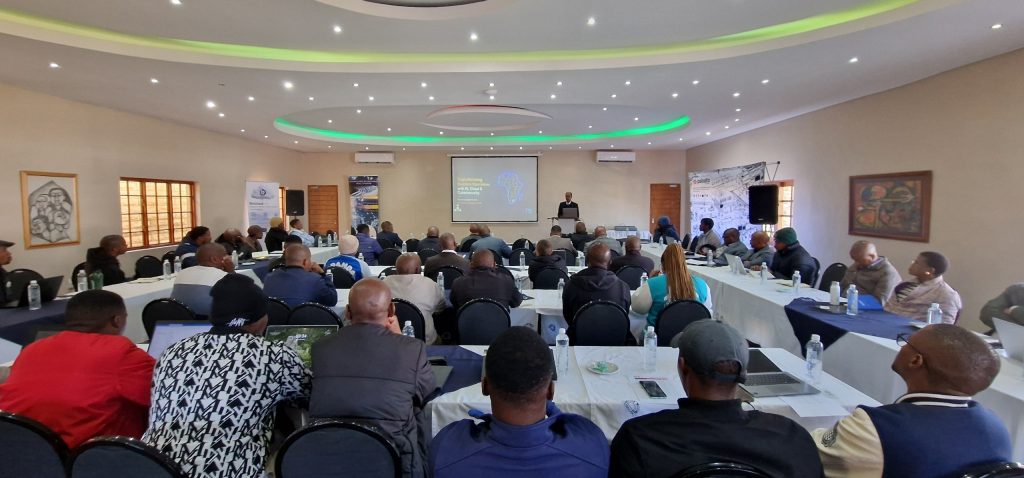
    This momentum was highlighted in Lesotho Times on May 30, 2026, in the article “Lesotho Embraces Digital Transformation“ by Moroke Sekoboto. The coverage focused on a three-day executive technology workshop in Maseru, where leaders from government, industry, and academia came together to explore strategies for advancing digital innovation across the region.

    For Belcloud, the feature represents an important milestone. It is the company’s second major media recognition in Africa in 2026, following its earlier feature in Managers through the article “BelCloud annonce son implantation en Tunisie dès avril et cible l’Afrique du Nord.” That coverage highlighted Belcloud’s expansion into Tunisia and its strategic focus on North Africa.

    Together, these two independent media features reflect Belcloud’s growing presence across the continent and its commitment to supporting Africa’s digital transformation through secure, scalable cloud infrastructure.


    Belcloud Among Global Technology Partners

    Organized by DNS Technologies Ltd and Computer Business Solutions (CBS), the workshop brought together leading technology partners, including Belcloud, Palo Alto Networks, Keepit, and Softlabs Group.

    Key discussion topics included:

    • Artificial Intelligence
    • Cloud Computing
    • Cybersecurity
    • Backup & Disaster Recovery
    • Managed Services

    Attendees from the education, healthcare, manufacturing, communications, and public sectors explored practical strategies for improving security, resilience, and operational efficiency.

    Belcloud was recognized for its secure, scalable cloud infrastructure solutions that help organizations modernize their operations and support long-term digital growth.

    Why Modern Infrastructure Matters

    As digital services and AI adoption continue to grow, organizations face increasing demands for security, scalability, compliance, and business continuity.

    Modern cloud infrastructure provides the flexibility, resilience, and reliability needed to support these requirements while enabling innovation and sustainable growth. For many organizations, the right infrastructure foundation is essential to successfully navigating digital transformation initiatives.

    How Belcloud Supports Digital Transformation

    Belcloud helps organizations build and scale secure digital environments through:

    • Secure cloud hosting for mission-critical workloads
    • Scalable infrastructure that adapts to business growth
    • Business continuity solutions that reduce operational risk
    • Compliance-focused services that support regulatory requirements

    From healthcare providers and educational institutions to enterprises and government agencies, Belcloud delivers the infrastructure foundation needed for long-term digital success.


    Growing Recognition Across Africa

    The Lesotho Times feature marks Belcloud’s second major media recognition in 2026, following its earlier coverage in Managers regarding the company’s expansion into Tunisia and North Africa.

    While the two publications focused on different milestones, they highlighted a common theme: the growing demand for trusted cloud infrastructure partners capable of supporting digital transformation initiatives across Africa.

    The Managers feature showcased Belcloud’s geographic expansion into North Africa, while the Lesotho Times coverage highlighted the company’s participation in regional conversations around cloud computing, cybersecurity, AI, and digital innovation.

    Together, these recognitions reflect Belcloud’s expanding role in helping organizations across Africa modernize their infrastructure and prepare for the future.

    Key Takeaways

    • Belcloud was featured in Lesotho Times on May 30, 2026
    • The article covered a major digital transformation workshop in Maseru
    • Belcloud participated as a technology partner focused on cloud infrastructure
    • Discussions centered on AI, cloud computing, cybersecurity, and disaster recovery
    • This marks Belcloud’s second major media feature in Africa in 2026
    • The company’s first feature appeared in Managers, highlighting its expansion into Tunisia and North Africa

    Ready to Modernize Your Infrastructure?

    Whether you’re migrating to the cloud, improving resilience, or scaling enterprise workloads, Belcloud provides the secure and reliable infrastructure needed to support your next stage of growth.

    Contact Belcloud to learn how our cloud, storage, and infrastructure solutions can help your organization build a secure, future-ready foundation.

  • AI Is the Hype, but Cloud Infrastructure Powers Everything

    Behind every AI breakthrough is a layer of cloud infrastructure that enables scale, speed, and reliability.


    AI Is Everywhere, but It Does Not Run Alone

    AI dominates today’s technology landscape. From generative tools to predictive analytics, industries are rapidly adopting AI-powered solutions. Yet beneath this shift is a core dependency that often goes unnoticed: cloud infrastructure.

    As digital workloads grow in size and complexity, it becomes clear that software alone does not create business value. Execution does. And execution depends on reliable compute, storage, networking, and scalability delivered through modern cloud environments.

    AI may capture attention, but infrastructure determines whether it actually works in production.


    AI Without Infrastructure Is Just a Concept

    Even advanced applications require stable infrastructure to operate in real environments. Without it, systems remain limited to development stages, prototypes, or isolated deployments.

    Cloud infrastructure enables production readiness by providing:

    • On-demand compute resources
    • Scalable and durable storage systems
    • High-speed networking
    • Built-in redundancy and availability

    Together, these capabilities turn applications from ideas into operational systems.


    Why Cloud Infrastructure Is a Core Business Requirement

    For modern enterprises, infrastructure is not optional. It directly determines whether systems can scale and operate reliably.

    Scalability on demand
    Resources can expand or contract based on real usage without upfront hardware investment.

    Cost efficiency
    Organizations avoid large capital expenditure and only pay for consumed resources.

    Reliability and uptime
    Redundant infrastructure reduces downtime and supports continuous service availability.

    Security and compliance
    Access controls, encryption, and managed environments help meet enterprise requirements.

    Without these foundations, production systems become difficult to maintain and scale.


    The Infrastructure Layer Behind Every Application

    Every digital interaction, whether a user request, data transaction, or system process, depends on multiple infrastructure layers working together:

    • Compute resources for processing workloads
    • Virtualized and containerized environments
    • Orchestration systems such as Kubernetes
    • Distributed storage systems
    • Load balancing and traffic management

    This layered architecture ensures applications remain stable, responsive, and scalable even under changing demand patterns.


    Why Digital Growth Is Increasing Infrastructure Demand

    As digital services expand, infrastructure requirements continue to grow. Organizations now need systems that can:

    • Handle increasing traffic volumes
    • Store and process growing datasets
    • Support real-time application responsiveness
    • Enable distributed and multi-service architectures

    This shift is driving a move away from static infrastructure toward elastic, cloud-native environments that scale with demand.


    How Belcloud Supports Modern Workloads

    Modern applications depend on the infrastructure that powers them. Belcloud provides the foundation needed to operate scalable and reliable systems in production environments.

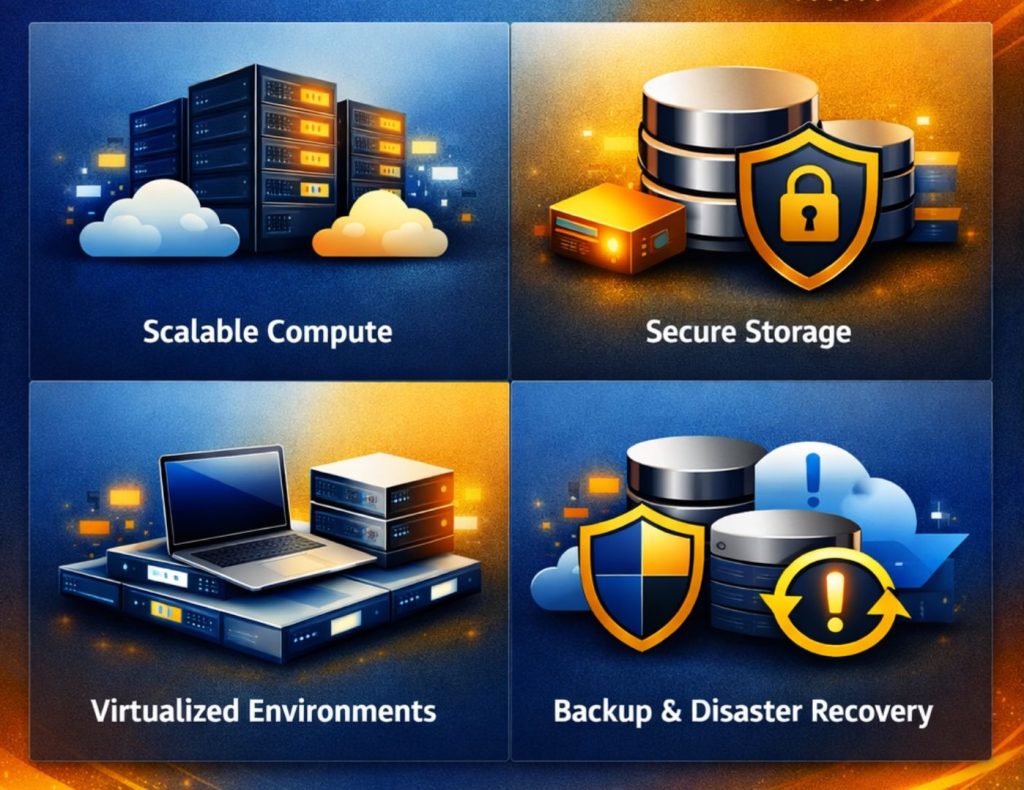
    Typical use cases include:

    • Scalable compute resources for applications and services
    • Secure, high-performance storage for growing data needs
    • Virtualized environments for development and production workflows
    • Backup and disaster recovery for business continuity

    With a cloud-first approach, organizations can provision infrastructure quickly, deploy applications efficiently, and scale resources based on demand. This reduces operational complexity and allows teams to focus on building and improving their services.


    Key Takeaways

    • Modern applications depend on cloud infrastructure to operate at scale
    • Without scalable compute and storage, production systems remain limited
    • Cloud platforms improve deployment speed and operational efficiency
    • Infrastructure is essential for reliability, performance, and security
    • Digital growth is accelerating demand for elastic cloud environments
    • Enterprises need infrastructure-first strategies for long-term scalability

    AI may dominate attention, but infrastructure determines success. Organizations that thrive in the digital era will be those built on scalable, reliable, and well-architected cloud systems.

    The key question is no longer whether to adopt new technologies, but whether the infrastructure behind them is ready to support real-world demand.


    Learn how Belcloud can help you build scalable, secure, and reliable cloud infrastructure for modern workloads.

  • Transforming Business Operation with AI, Cloud & Cybersecurity Workshop

    As Africa accelerates its digital transformation journey, the demand for secure, scalable, and intelligent technology solutions continues to grow. Organizations across the region are increasingly investing in AI, cloud computing, and cybersecurity to modernize operations, strengthen resilience, and remain competitive in an evolving digital landscape.

    Hosted by DNS Technologies Ltd and Computer Business Solutions, a two-day strategic workshop is being held in Maseru, Lesotho from May 20–21, 2026, bringing together technology leaders, industry experts, and decision-makers for in-depth discussions on the future of enterprise innovation and secure digital transformation.


    Workshop Leadership

    Pravin Swami

    Guiding enterprises through secure digital transformation and intelligent infrastructure adoption.

    Jack Bismohun

    Specialist in enterprise strategy, operational scalability, and business modernization.

    Together, they are leading participants through practical strategies for building secure and intelligent enterprises.

    Workshop Focus

    Hosted by DNS Technologies Ltd in collaboration with enterprise partners, the workshop is delivering actionable insights across four key pillars:

    • AI-driven workflow optimization to improve productivity and decision-making
    • Cybersecurity readiness to address evolving and sophisticated threats
    • Cloud adoption strategies that enable scalability, resilience, and operational efficiency
    • Digital transformation alignment to support sustainable long-term growth

    The program emphasizes real-world implementation, operational best practices, and enterprise-ready solutions.


    Featured Experts

    Cybersecurity Leadership

    Palo Alto Networks is sharing insights into advanced threat prevention, modern security frameworks, and proactive cyber defense strategies.

    Cloud Transformation

    Gabriel of Belcloud

    Discussing cloud infrastructure optimization, modernization strategies, and enterprise transformation initiatives.

    Software Modernization

    Softlabs expertise in system integration, digital platform transformation, and modernization of enterprise applications is contributing to the discussions throughout the workshop.

    Local IT & Digital Adoption

    Dr. Mohlalefi Sefika of Computer Business Solutions

    Providing perspectives on technology adoption, digital readiness, and implementation challenges within Lesotho’s business environment.


    Strengthening Digital Transformation in Lesotho

    The workshop highlights the importance of collaboration between global technology providers and local enterprises in advancing digital transformation across the region.

    Key priorities include:

    • Building resilient digital infrastructure for secure operations
    • Leveraging cloud platforms to improve agility and scalability
    • Integrating AI technologies to enhance performance and efficiency
    • Strengthening cybersecurity awareness and organizational readiness

    The convergence of AI, cloud computing, and cybersecurity is reshaping how organizations operate, compete, and grow. Enterprises that successfully embrace these technologies are better positioned to innovate, scale securely, and respond to evolving market demands.

    This workshop provides a platform for collaboration, innovation, and practical knowledge-sharing, helping organizations across Africa build a secure and intelligent digital future.

    The workshop continues through May 21, 2026, bringing together industry leaders and technology experts in Maseru, Lesotho to explore AI, cloud, and cybersecurity innovation across Africa.

    Learn more at: Belcloud

  • Complete Guide: Migrating from VMware to Proxmox

    As organizations move away from VMware’s rising licensing costs and closed ecosystem, Proxmox VE has become a leading open-source virtualization platform offering flexibility, performance, and infrastructure control.

    At Belcloud, we provide free migration guidance to all incoming customers. Every migration project includes a dedicated engineer who assists with assessment, planning, migration execution, workload validation, and post-migration optimization.
    Our goal is to ensure a smooth transition with minimal downtime, zero data loss, and stable production performance throughout the migration process.

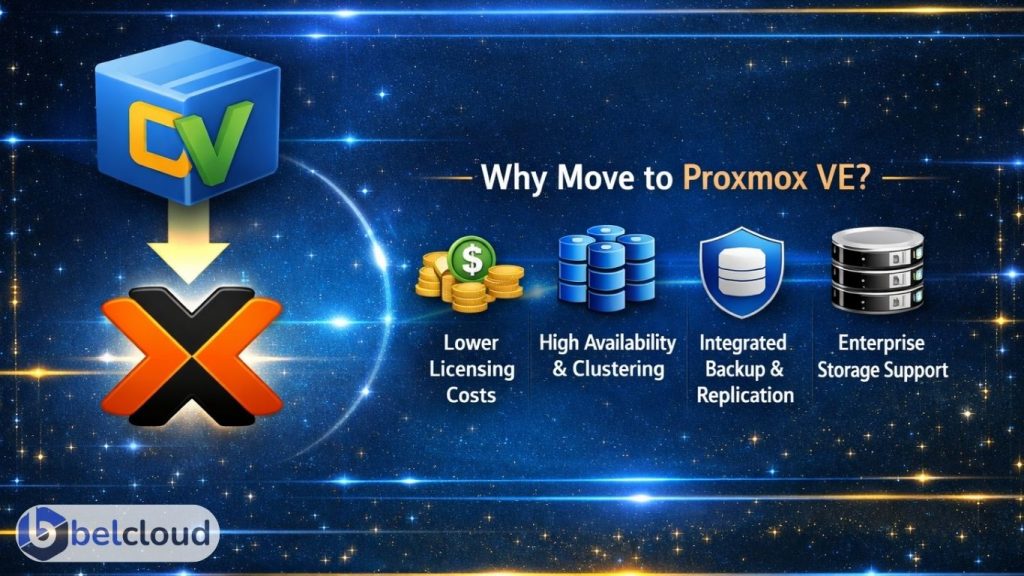
    Organizations are adopting Proxmox VE for lower virtualization costs, open-source flexibility, native clustering and high availability, integrated backup and replication, and support for enterprise storage technologies such as ZFS and Ceph.

    Why Organizations Are Moving to Proxmox VE

    Proxmox combines KVM virtualization, LXC containers, software-defined storage, clustering, and centralized web management into a single platform suitable for SMB and enterprise environments.

    With properly configured NVMe storage and VirtIO drivers, Proxmox workloads can achieve near bare-metal performance with sub-millisecond latency and multi-gigabit network throughput.


    Migration Overview

    A successful VMware to Proxmox migration involves more than converting virtual disks. Proper planning is critical to avoid downtime, storage corruption, networking issues, or failed workloads.

    The migration process typically includes infrastructure assessment, backup and rollback validation, VM compatibility checks, storage and network mapping, migration execution, performance testing, and post-migration optimization.
    Migration speed depends heavily on storage throughput, network bandwidth, and snapshot size. Environments using 10GbE networking with NVMe-backed storage commonly migrate workloads at several hundred GB per hour.

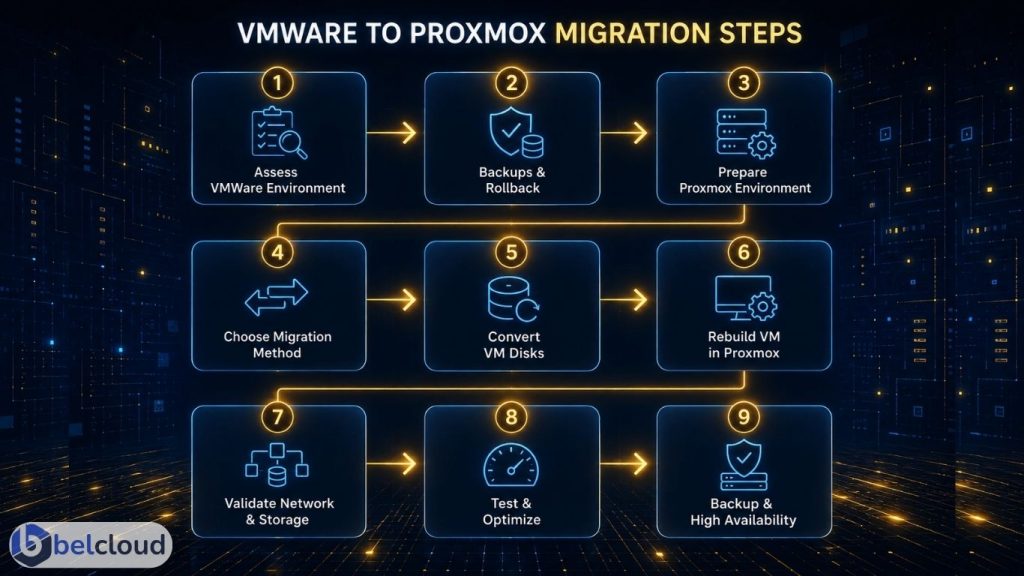
    Step 1: Assess the VMware Environment
    Begin with a complete inventory of the existing infrastructure. Review virtual machines, operating systems, CPU and memory allocation, datastore usage, snapshots, and BIOS or UEFI configuration. Networking assessments should include VLANs, vSwitch configuration, MTU settings, firewall policies, and IP assignments.
    Storage assessment should cover SAN/NAS topology, RAID configuration, SSD or NVMe tiers, and replication methods. Workload dependencies such as Active Directory, databases, backup systems, and licensing servers should also be identified before migration begins.

    Step 2: Create Backups and Rollback Plans
    Before migration begins, create and validate full VM backups. Recommended practices include exporting OVF/OVA configurations, verifying backup integrity, storing backups outside production datastores, and documenting rollback procedures.
    Typical enterprise targets include near-zero RPO and RTO objectives ranging from minutes to hours depending on workload criticality. Modern NVMe repositories and 10GbE backup networks can significantly reduce backup and restore times during migration windows.

    Step 3: Prepare the Proxmox Environment
    The Proxmox cluster should be fully configured and production-ready before workloads are migrated.
    Recommended configurations include: SSD or NVMe-backed storage, Redundant networking, Secure management access, VLAN-aware bridges, LACP bonding, ZFS, Ceph, NFS, or iSCSI storage

    For storage and replication traffic, 10GbE networking or higher is strongly recommended.
    Typical infrastructure throughput:

    • 1GbE networking: ~125 MB/s
    • 10GbE networking: ~1.1 GB/s
    • NVMe Gen4 storage: 5,000 to 7,000 MB/s read speeds
      These speeds directly affect migration duration, replication performance, and VM responsiveness after cutover.

    Step 4: Choose the Migration Method
    Offline migration is the most common approach and works well for environments with planned maintenance windows. This method involves shutting down the VM, exporting the VMDK, converting disks, importing them into Proxmox, and validating the workload after boot.

    Near-live migration methods reduce downtime but require additional synchronization, replication, and validation planning. These methods are typically used for production-critical workloads.
    In optimized environments, offline migrations commonly transfer between 200 GB and 1 TB per hour depending on storage backend and network speed.

    Step 5: Convert VMware Disks
    VMware environments commonly use VMDK disk formats, while Proxmox typically uses RAW or QCOW2. Disk conversion is usually performed using qemu-img.
    RAW offers maximum performance, while QCOW2 supports snapshots and thin provisioning. Conversion speed depends on CPU resources, storage performance, and network throughput. Enterprise NVMe systems can convert several hundred GB per hour, while slower SATA arrays may significantly increase migration time.

    Step 6: Rebuild VM Configuration in Proxmox
    After importing disks, rebuild the VM configuration inside Proxmox. This includes CPU type, NUMA configuration, memory allocation, VirtIO drivers, SCSI controller settings, and boot configuration. Install the QEMU Guest Agent and remove VMware Tools after validation is complete.
    VirtIO drivers improve throughput, reduce latency, and increase disk IOPS performance while reducing CPU overhead.

    Step 7: Validate Networking and Storage
    After booting migrated workloads, validate networking, DNS resolution, VLAN communication, storage mounts, and application functionality.
    Common migration issues include MTU mismatches, incorrect bridge mappings, missing VirtIO drivers, and firewall conflicts. Application and database consistency checks should also be completed before production cutover, especially for latency-sensitive workloads.

    Step 8: Performance Testing and Optimization
    Post-migration benchmarking is critical to ensure workload stability. Validate storage throughput and latency, network throughput and failover, CPU and RAM utilization, and application response times.

    Performance can be optimized further using NVMe-backed storage pools, ZFS tuning, CPU pinning, and VirtIO optimization. Well-configured Proxmox clusters commonly deliver near bare-metal virtualization performance with high IOPS capability and low-latency storage access.

    Step 9: Configure Backup and High Availability
    Once workloads are validated, configure backups, replication jobs, retention policies, and HA groups.

    Commonly deployed monitoring and backup tools include Proxmox Backup Server, Zabbix, Grafana, and Prometheus. Fast backup repositories and high-speed replication networks help reduce failover and recovery times while improving infrastructure resiliency.


    Common Migration Pitfalls

    The most common migration failures are caused by poor preparation and incomplete validation.
    Common issues include incomplete backup verification, incorrect VLAN mapping, legacy driver incompatibility, oversized VMware snapshots, and missing rollback procedures. Large snapshot chains and slow storage backends can significantly increase migration time and impact overall cutover performance.


    Migrating from VMware to Proxmox VE can significantly reduce infrastructure costs while improving scalability, flexibility, and operational control.
    Successful migrations require proper engineering oversight, thorough validation, performance optimization, and careful risk management.

    At Belcloud, we help organizations migrate safely and efficiently with dedicated engineering support throughout the entire process, ensuring workloads remain stable, secure, high-performing, and free from data loss.

    Ready to migrate? Contact Belcloud today to start your VMware-to-Proxmox transition: belcloud.net