
Welcome to our Blog!

  • Vendor Lock-In: Egress Costs and the Migration Project


    Modern cloud infrastructure enables businesses to scale quickly, deploy globally, and innovate faster than ever. However, behind this flexibility lies a major constraint that many organizations only discover when they attempt to move their data: egress costs.

    Egress costs refer to the fees incurred when data is transferred out of a cloud provider’s environment. This becomes a critical issue during migration projects, where large datasets must be moved between systems or providers.

    One of the most widely used platforms globally is Amazon, which offers extensive infrastructure services across compute, storage, and networking. However, its pricing model includes data transfer fees that can significantly increase the cost of exiting or migrating workloads.

    As businesses scale their use of cloud for AI, analytics, and distributed systems, these migration costs become not just a technical challenge, but a strategic business constraint.


    What Are Egress Costs?

    Egress costs are charges applied when data leaves a cloud environment. While storing and processing data inside the cloud is relatively cost-efficient, moving data out is where costs accumulate.

    Common scenarios that trigger egress fees include:

    • Migrating data to another cloud provider
    • Transferring datasets to on-premise infrastructure
    • Cross-region replication
    • Large-scale backups or disaster recovery exports

    At small scale, these costs are manageable. At enterprise scale, however, they can become a significant financial burden.

    Egress costs are one of the strongest, yet often underestimated, drivers of vendor lock-in in cloud computing.

    They create lock-in not through contracts, but through economics.


    Why Egress Costs Create Vendor Lock-In

    1. Exit Becomes Expensive

    When organizations realize that moving terabytes or petabytes of data out of a cloud provider will result in significant charges, migration stops being a technical decision and becomes a financial one.

    2. Architecture Becomes Provider-Centric

    Systems are designed to minimize data movement rather than optimize performance or flexibility. This ties workloads more deeply into a single ecosystem.

    3. Multi-Cloud Becomes Cost-Prohibitive

    Even when multi-cloud strategies make sense for resilience or performance, egress costs make continuous data exchange between providers expensive.

    4. Data Gravity Effect

    As data accumulates in one provider, applications, analytics, and services naturally follow it, making relocation increasingly difficult over time.

    5. Reduced Negotiation Power

    When switching providers is expensive, businesses lose leverage in pricing discussions and long-term infrastructure planning.

    In short, egress costs don’t just charge for data movement, they discourage it entirely, reinforcing dependency on a single cloud provider.


    How Migration Projects Are Impacted

    During a cloud migration, businesses often run parallel environments to ensure stability and reduce downtime.

    This typically includes:

    • Replicating databases
    • Testing workloads in the new environment
    • Running dual systems during validation
    • Final cutover after verification

    In traditional cloud setups, this means paying for:

    • Active production infrastructure
    • Duplicate staging environments
    • Continuous data transfer between systems

    The result is a temporary but significant cost spike, where organizations pay more during migration than during normal operations.


    How Belcloud Removes Migration Cost Barriers

    With Belcloud, migration is designed to eliminate financial friction from the very beginning.

    Belcloud provides a dedicated project manager for complex migration and implementation projects at no additional cost, ensuring that enterprises have expert guidance throughout the entire transition process. This removes operational uncertainty and helps teams execute migrations with structure, speed, and confidence.

    The model is straightforward:

    • No payment during the migration period
    • No egress-style charges while data is being transferred
    • Costs begin only after migration is fully completed

    This allows organizations to migrate workloads without the pressure of dual infrastructure costs or unpredictable transfer fees.

    Instead of optimizing around exit penalties, teams can focus on building efficient and scalable architectures.ding efficient, scalable, and future-ready architectures.


    Use Case: Enterprise Migration Without Financial Friction

    A growing enterprise running analytics and AI workloads on Amazon decides to migrate due to rising operational costs and scaling limitations.

    In a traditional migration scenario, the company would face:

    • High egress fees for transferring large datasets
    • Parallel infrastructure costs during transition
    • Delayed migration timelines due to budget constraints

    With Belcloud:

    • Data is migrated without egress fees
    • No payment is required during the migration phase
    • A dedicated project manager supports the implementation process
    • Teams can validate performance before committing financially
    • Final deployment happens only after full readiness

    This creates a smoother, lower-risk transition that prioritizes technical validation over financial constraint management.


    Cloud migration should enable growth, not restrict it through hidden costs and data transfer penalties.

    Egress fees have become one of the most significant hidden barriers in modern cloud strategy, shaping architecture decisions and limiting flexibility at scale.

    By removing migration costs and providing dedicated project management support for complex transitions, Belcloud helps organizations move beyond vendor lock-in and focus on what matters most: performance, scalability, and innovation.


    Learn how Belcloud can help your business scale without migration barriers or egress fees.
  • Proxmox VE vs VMware vSphere: Continuing the Infrastructure Strategy Discussion

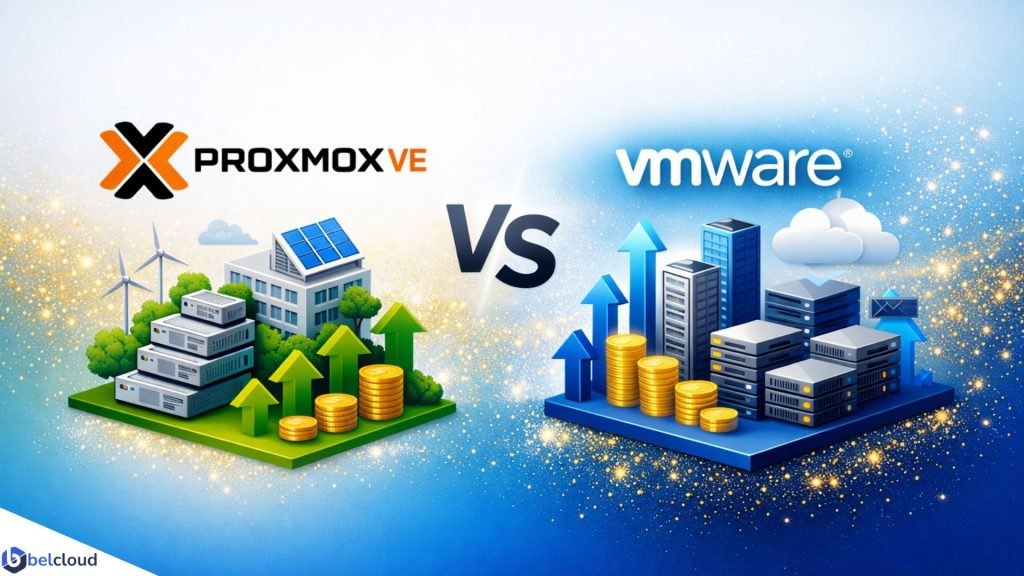
    A practical guide to balancing cost, scalability, and enterprise performance.


    Following our earlier discussion on Proxmox VE and VMware vSphe, many of our readers asked for a deeper look at how these platforms compare in real-world environments, particularly for organizations planning a Microsoft Hyper-V migration. In this follow-up, we’re taking a closer look at the practical considerations, including cost, scalability, migration strategies, and long-term infrastructure planning.

    As organizations modernize their IT infrastructure, choosing the right virtualization platform has become a strategic decision. Rising licensing costs, evolving vendor models, and the need for scalable, cloud-ready environments are prompting many businesses to reassess their options.

    For organizations running Microsoft Hyper-V, migration presents an opportunity to reduce costs, simplify operations, and build a more flexible infrastructure. Two leading platforms often top the shortlist: Proxmox VE and VMware vSphere.

    While both deliver enterprise-grade virtualization, they differ significantly in pricing, management, and long-term flexibility. Understanding these differences can help organizations choose the platform that best supports their business goals.

    Understanding the Platforms

    Proxmox VE is an open-source virtualization platform built on Debian Linux. It combines KVM virtual machines and LXC containers into a single management interface, making it suitable for both traditional and modern workloads.

    Key strengths include: Open-source architecture, Optional enterprise subscriptions, Built-in clustering and high availability, Native backup capabilities, Virtual machine and container support, Reduced vendor lock-in
    For organizations seeking flexibility and lower operating costs, Proxmox offers a compelling alternative to traditional enterprise platforms.

    VMware vSphere has long been a standard for enterprise virtualization. Built around the ESXi hypervisor and managed through vCenter Server, it provides a mature ecosystem for large-scale deployments.

    Key strengths include: Advanced centralized management, Extensive third-party integrations, Enterprise-grade support, Mature automation and migration tools, Proven reliability for mission-critical workloads, Organizations with existing VMware investments often benefit from its broad ecosystem and established operational practices.


    Comparing Total Cost of Ownership

    Licensing is only one part of virtualization costs. Organizations should also consider support, operational overhead, training, and future scalability.
    Proxmox VE
    Approximate enterprise subscription:
    ~R10,070 per CPU socket annually.

    Benefits include: No per-core licensing, Optional support subscriptions, Built-in clustering, backup, and high availability, Native integration with Ceph and ZFS
    Lower software costs allow organizations to allocate more budget toward hardware and infrastructure growth.

    VMware vSphere
    Approximate licensing:
    ~R59,868 annually as a minimum deployment.

    Considerations include: Subscription-based licensing, 72-core minimum requirements, Additional licensing for advanced features such as vSAN and NSX, Premium vendor support.
    While VMware delivers a highly polished experience, the overall investment can be substantial, particularly for small and medium-sized environments.


    Hyper-V Migration Considerations

    Both platforms support Hyper-V migrations, but their approaches differ.

    Proxmox VE – Hyper-V VHDX disks can be converted into Proxmox-compatible formats using native tools such as qemu-img before being imported into new virtual machines.
    Advantages:

    • Native and cost-free migration tools
    • Scriptable for large-scale migrations
    • Flexible storage options
      Challenges:
    • Requires familiarity with Linux administration
    • Careful storage and network planning is recommended

    VMware vSphere – vCenter Converter and related tools to automate much of the migration process.
    Advantages:

    • User-friendly graphical interface
    • Automated hardware adjustments
    • Streamlined migration workflows
      Challenges:
    • Depends on Windows-based tooling
    • Large migrations may require significant network bandwidth

    In both cases, thorough testing and phased deployment strategies help minimize downtime and migration risks.

    Scalability for Growing Businesses

    Scalability should be evaluated based on both technical capabilities and long-term costs.
    Proxmox scales effectively from small deployments to enterprise clusters through built-in high availability, Corosync clustering, and Ceph distributed storage. Its flexible licensing model makes expansion predictable and affordable.
    VMware excels in large enterprise environments where centralized management, extensive integrations, and mature automation are critical. However, licensing costs can increase significantly as infrastructure grows.
    The right choice depends on whether an organization prioritizes cost efficiency, ecosystem maturity, or a balance of both.


    How Belcloud Applies This

    At Belcloud, virtualization is part of a broader infrastructure strategy designed to improve performance, resilience, and operational efficiency.

    For organizations migrating from Hyper-V, Proxmox can provide: High-availability clusters, Integrated backup solutions, Containerized workloads, Distributed storage with Ceph, Lower infrastructure costs

    For businesses with significant VMware investments or strict commercial support requirements, VMware may remain the better fit.
    Rather than recommending a single platform for every environment, Belcloud focuses on matching technology choices to business objectives and long-term growth plans.


    Final Recommendation

    For cost-conscious enterprises and government organizations planning a Hyper-V migration, Proxmox VE offers an attractive combination of performance, scalability, and cost efficiency. Its built-in enterprise features and open architecture provide significant long-term value while reducing dependency on proprietary licensing models.

    VMware vSphere remains an excellent choice for organizations that require premium vendor support, depend on existing VMware integrations, or operate highly complex enterprise environments.
    Ultimately, the best virtualization platform is the one that aligns with your organization’s operational needs, growth strategy, and budget.


    Download the full Comparative Analysis of Proxmox VE vs VMware vSphere to explore the technical details and migration considerations.


    Ready to Modernize Your Infrastructure?

    Whether you’re planning a Hyper-V migration, building a private cloud, or optimizing your virtualization environment, Belcloud can help you design secure, scalable, and cost-effective infrastructure solutions.


    Learn more on how Belcloud can help modernize your IT infrastructure and simplify your virtualization journey.

  • Lesotho Times Features Belcloud, Highlighting Africa’s Digital Transformation Momentum

    Africa’s digital transformation is accelerating as organizations invest in cloud infrastructure, cybersecurity, and emerging technologies to drive innovation and sustainable growth.

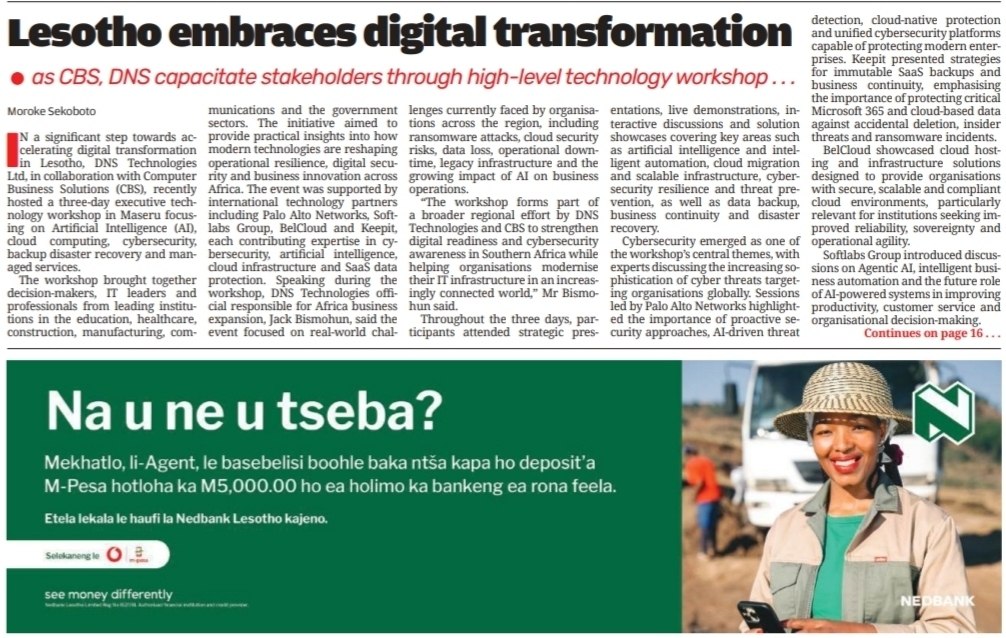
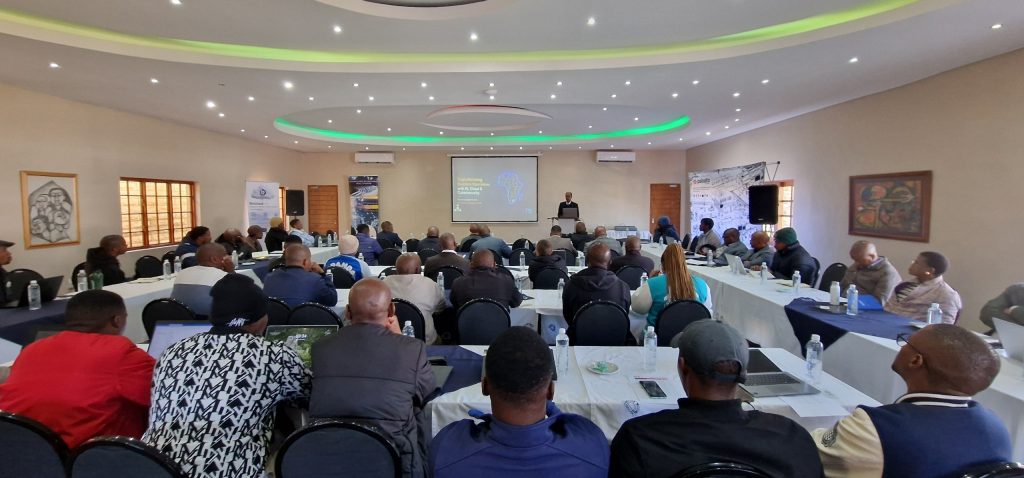
    This momentum was highlighted in Lesotho Times on May 30, 2026, in the article Lesotho Embraces Digital Transformation by Moroke Sekoboto. The coverage focused on a three-day executive technology workshop in Maseru, where leaders from government, industry, and academia came together to explore strategies for advancing digital innovation across the region.

    For Belcloud, the feature represents an important milestone. It is the company’s second major media recognition in Africa in 2026, following its earlier feature in Managers through the article “BelCloud annonce son implantation en Tunisie dès avril et cible l’Afrique du Nord.” That coverage highlighted Belcloud’s expansion into Tunisia and its strategic focus on North Africa.

    Together, these two independent media features reflect Belcloud’s growing presence across the continent and its commitment to supporting Africa’s digital transformation through secure, scalable cloud infrastructure.


    Belcloud Among Global Technology Partners

    Organized by DNS Technologies Ltd and Computer Business Solutions (CBS), the workshop brought together leading technology partners, including Belcloud, Palo Alto Networks, Keepit, and Softlabs Group.

    Key discussion topics included:

    • Artificial Intelligence
    • Cloud Computing
    • Cybersecurity
    • Backup & Disaster Recovery
    • Managed Services

    Attendees from the education, healthcare, manufacturing, communications, and public sectors explored practical strategies for improving security, resilience, and operational efficiency.

    Belcloud was recognized for its secure, scalable cloud infrastructure solutions that help organizations modernize their operations and support long-term digital growth.

    Why Modern Infrastructure Matters

    As digital services and AI adoption continue to grow, organizations face increasing demands for security, scalability, compliance, and business continuity.

    Modern cloud infrastructure provides the flexibility, resilience, and reliability needed to support these requirements while enabling innovation and sustainable growth. For many organizations, the right infrastructure foundation is essential to successfully navigating digital transformation initiatives.

    How Belcloud Supports Digital Transformation

    Belcloud helps organizations build and scale secure digital environments through:

    • Secure cloud hosting for mission-critical workloads
    • Scalable infrastructure that adapts to business growth
    • Business continuity solutions that reduce operational risk
    • Compliance-focused services that support regulatory requirements

    From healthcare providers and educational institutions to enterprises and government agencies, Belcloud delivers the infrastructure foundation needed for long-term digital success.


    Growing Recognition Across Africa

    The Lesotho Times feature marks Belcloud’s second major media recognition in 2026, following its earlier coverage in Managers regarding the company’s expansion into Tunisia and North Africa.

    While the two publications focused on different milestones, they highlighted a common theme: the growing demand for trusted cloud infrastructure partners capable of supporting digital transformation initiatives across Africa.

    The Managers feature showcased Belcloud’s geographic expansion into North Africa, while the Lesotho Times coverage highlighted the company’s participation in regional conversations around cloud computing, cybersecurity, AI, and digital innovation.

    Together, these recognitions reflect Belcloud’s expanding role in helping organizations across Africa modernize their infrastructure and prepare for the future.

    Key Takeaways

    • Belcloud was featured in Lesotho Times on May 30, 2026
    • The article covered a major digital transformation workshop in Maseru
    • Belcloud participated as a technology partner focused on cloud infrastructure
    • Discussions centered on AI, cloud computing, cybersecurity, and disaster recovery
    • This marks Belcloud’s second major media feature in Africa in 2026
    • The company’s first feature appeared in Managers, highlighting its expansion into Tunisia and North Africa

    Ready to Modernize Your Infrastructure?

    Whether you’re migrating to the cloud, improving resilience, or scaling enterprise workloads, Belcloud provides the secure and reliable infrastructure needed to support your next stage of growth.

    Contact Belcloud to learn how our cloud, storage, and infrastructure solutions can help your organization build a secure, future-ready foundation.

  • AI Is the Hype, but Cloud Infrastructure Powers Everything

    Behind every AI breakthrough is a layer of cloud infrastructure that enables scale, speed, and reliability.


    AI Is Everywhere, but It Does Not Run Alone

    AI dominates today’s technology landscape. From generative tools to predictive analytics, industries are rapidly adopting AI-powered solutions. Yet beneath this shift is a core dependency that often goes unnoticed: cloud infrastructure.

    As digital workloads grow in size and complexity, it becomes clear that software alone does not create business value. Execution does. And execution depends on reliable compute, storage, networking, and scalability delivered through modern cloud environments.

    AI may capture attention, but infrastructure determines whether it actually works in production.


    AI Without Infrastructure Is Just a Concept

    Even advanced applications require stable infrastructure to operate in real environments. Without it, systems remain limited to development stages, prototypes, or isolated deployments.

    Cloud infrastructure enables production readiness by providing:

    • On-demand compute resources
    • Scalable and durable storage systems
    • High-speed networking
    • Built-in redundancy and availability

    Together, these capabilities turn applications from ideas into operational systems.


    Why Cloud Infrastructure Is a Core Business Requirement

    For modern enterprises, infrastructure is not optional. It directly determines whether systems can scale and operate reliably.

    Scalability on demand
    Resources can expand or contract based on real usage without upfront hardware investment.

    Cost efficiency
    Organizations avoid large capital expenditure and only pay for consumed resources.

    Reliability and uptime
    Redundant infrastructure reduces downtime and supports continuous service availability.

    Security and compliance
    Access controls, encryption, and managed environments help meet enterprise requirements.

    Without these foundations, production systems become difficult to maintain and scale.


    The Infrastructure Layer Behind Every Application

    Every digital interaction, whether a user request, data transaction, or system process, depends on multiple infrastructure layers working together:

    • Compute resources for processing workloads
    • Virtualized and containerized environments
    • Orchestration systems such as Kubernetes
    • Distributed storage systems
    • Load balancing and traffic management

    This layered architecture ensures applications remain stable, responsive, and scalable even under changing demand patterns.


    Why Digital Growth Is Increasing Infrastructure Demand

    As digital services expand, infrastructure requirements continue to grow. Organizations now need systems that can:

    • Handle increasing traffic volumes
    • Store and process growing datasets
    • Support real-time application responsiveness
    • Enable distributed and multi-service architectures

    This shift is driving a move away from static infrastructure toward elastic, cloud-native environments that scale with demand.


    How Belcloud Supports Modern Workloads

    Modern applications depend on the infrastructure that powers them. Belcloud provides the foundation needed to operate scalable and reliable systems in production environments.

    Typical use cases include:

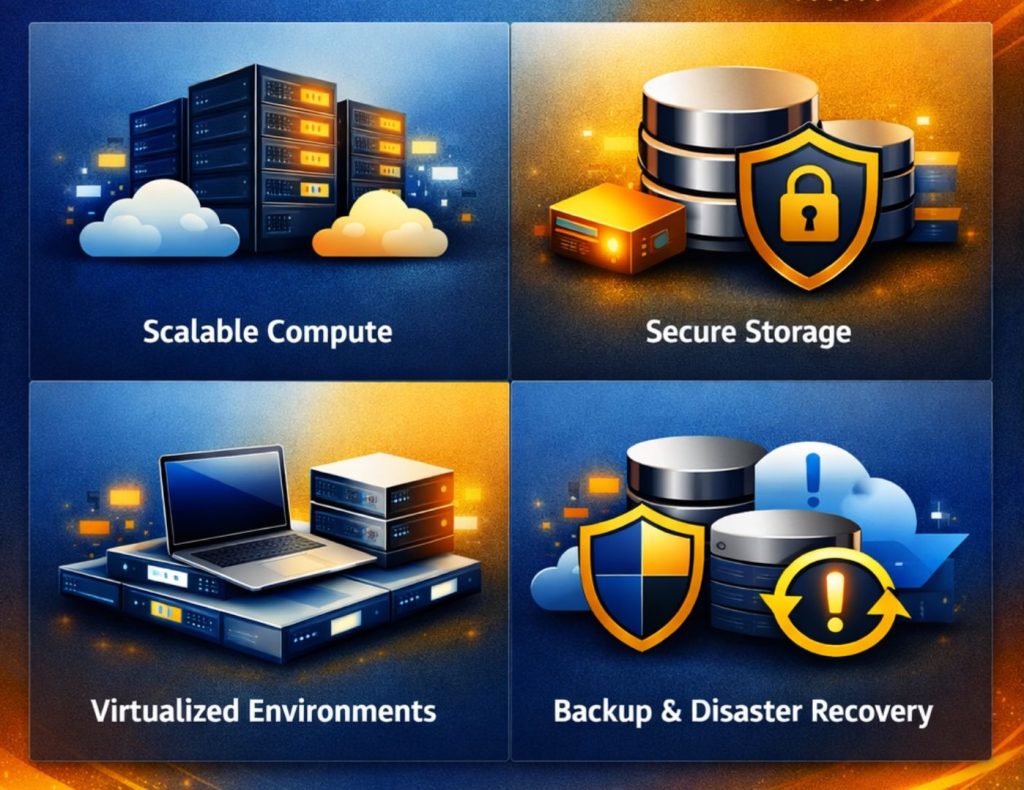
    • Scalable compute resources for applications and services
    • Secure, high-performance storage for growing data needs
    • Virtualized environments for development and production workflows
    • Backup and disaster recovery for business continuity

    With a cloud-first approach, organizations can provision infrastructure quickly, deploy applications efficiently, and scale resources based on demand. This reduces operational complexity and allows teams to focus on building and improving their services.


    Key Takeaways

    • Modern applications depend on cloud infrastructure to operate at scale
    • Without scalable compute and storage, production systems remain limited
    • Cloud platforms improve deployment speed and operational efficiency
    • Infrastructure is essential for reliability, performance, and security
    • Digital growth is accelerating demand for elastic cloud environments
    • Enterprises need infrastructure-first strategies for long-term scalability

    AI may dominate attention, but infrastructure determines success. Organizations that thrive in the digital era will be those built on scalable, reliable, and well-architected cloud systems.

    The key question is no longer whether to adopt new technologies, but whether the infrastructure behind them is ready to support real-world demand.


    Learn how Belcloud can help you build scalable, secure, and reliable cloud infrastructure for modern workloads.

  • Transforming Business Operation with AI, Cloud & Cybersecurity Workshop

    As Africa accelerates its digital transformation journey, the demand for secure, scalable, and intelligent technology solutions continues to grow. Organizations across the region are increasingly investing in AI, cloud computing, and cybersecurity to modernize operations, strengthen resilience, and remain competitive in an evolving digital landscape.

    Hosted by DNS Technologies Ltd and Computer Business Solutions, a two-day strategic workshop is being held in Maseru, Lesotho from May 20–21, 2026, bringing together technology leaders, industry experts, and decision-makers for in-depth discussions on the future of enterprise innovation and secure digital transformation.


    Workshop Leadership

    Pravin Swami

    Guiding enterprises through secure digital transformation and intelligent infrastructure adoption.

    Jack Bismohun

    Specialist in enterprise strategy, operational scalability, and business modernization.

    Together, they are leading participants through practical strategies for building secure and intelligent enterprises.

    Workshop Focus

    Hosted by DNS Technologies Ltd in collaboration with enterprise partners, the workshop is delivering actionable insights across four key pillars:

    • AI-driven workflow optimization to improve productivity and decision-making
    • Cybersecurity readiness to address evolving and sophisticated threats
    • Cloud adoption strategies that enable scalability, resilience, and operational efficiency
    • Digital transformation alignment to support sustainable long-term growth

    The program emphasizes real-world implementation, operational best practices, and enterprise-ready solutions.


    Featured Experts

    Cybersecurity Leadership

    Palo Alto Networks is sharing insights into advanced threat prevention, modern security frameworks, and proactive cyber defense strategies.

    Cloud Transformation

    Gabriel Caragea of Belcloud

    Discussing cloud infrastructure optimization, modernization strategies, and enterprise transformation initiatives.

    Software Modernization

    Softlabs expertise in system integration, digital platform transformation, and modernization of enterprise applications is contributing to the discussions throughout the workshop.

    Local IT & Digital Adoption

    Dr. Mohlalefi Sefika of Computer Business Solutions

    Providing perspectives on technology adoption, digital readiness, and implementation challenges within Lesotho’s business environment.


    Strengthening Digital Transformation in Lesotho

    The workshop highlights the importance of collaboration between global technology providers and local enterprises in advancing digital transformation across the region.

    Key priorities include:

    • Building resilient digital infrastructure for secure operations
    • Leveraging cloud platforms to improve agility and scalability
    • Integrating AI technologies to enhance performance and efficiency
    • Strengthening cybersecurity awareness and organizational readiness

    The convergence of AI, cloud computing, and cybersecurity is reshaping how organizations operate, compete, and grow. Enterprises that successfully embrace these technologies are better positioned to innovate, scale securely, and respond to evolving market demands.

    This workshop provides a platform for collaboration, innovation, and practical knowledge-sharing, helping organizations across Africa build a secure and intelligent digital future.

    The workshop continues through May 21, 2026, bringing together industry leaders and technology experts in Maseru, Lesotho to explore AI, cloud, and cybersecurity innovation across Africa.

    Learn more at: Belcloud

  • Complete Guide: Migrating from VMware to Proxmox

    As organizations move away from VMware’s rising licensing costs and closed ecosystem, Proxmox VE has become a leading open-source virtualization platform offering flexibility, performance, and infrastructure control.

    At Belcloud, we provide free migration guidance to all incoming customers. Every migration project includes a dedicated engineer who assists with assessment, planning, migration execution, workload validation, and post-migration optimization.
    Our goal is to ensure a smooth transition with minimal downtime, zero data loss, and stable production performance throughout the migration process.

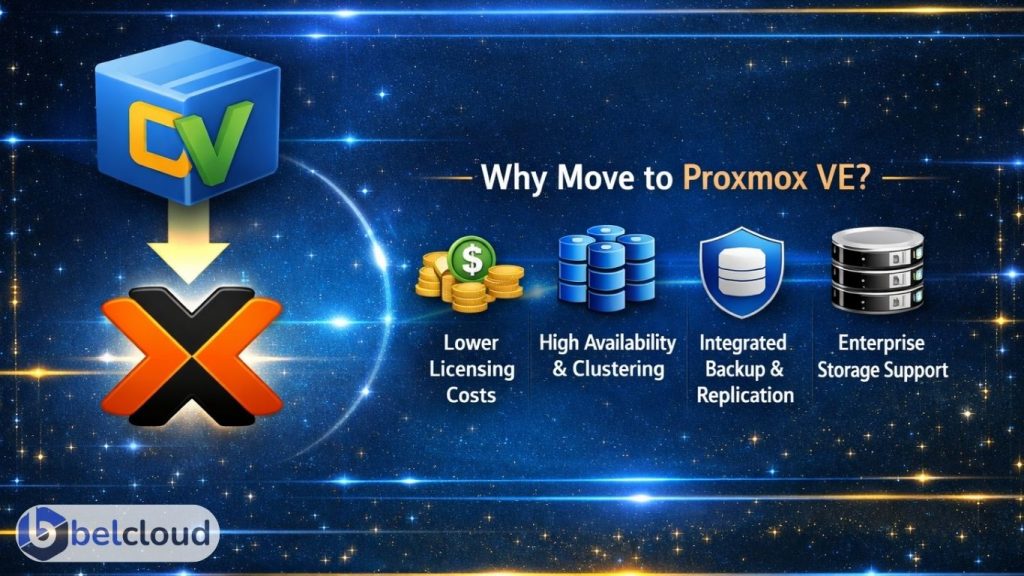
    Organizations are adopting Proxmox VE for lower virtualization costs, open-source flexibility, native clustering and high availability, integrated backup and replication, and support for enterprise storage technologies such as ZFS and Ceph.

    Why Organizations Are Moving to Proxmox VE

    Proxmox combines KVM virtualization, LXC containers, software-defined storage, clustering, and centralized web management into a single platform suitable for SMB and enterprise environments.

    With properly configured NVMe storage and VirtIO drivers, Proxmox workloads can achieve near bare-metal performance with sub-millisecond latency and multi-gigabit network throughput.


    Migration Overview

    A successful VMware to Proxmox migration involves more than converting virtual disks. Proper planning is critical to avoid downtime, storage corruption, networking issues, or failed workloads.

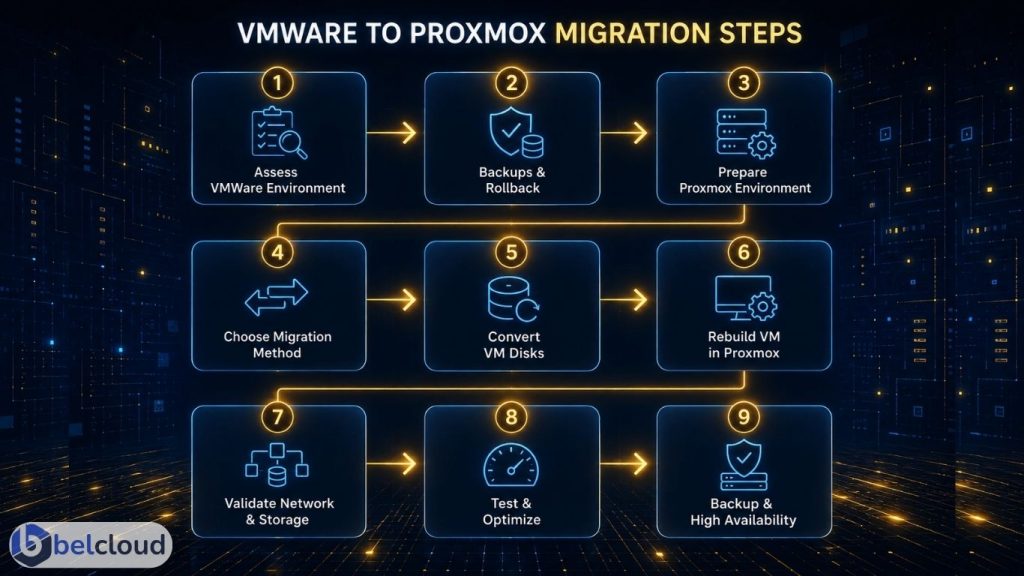
    The migration process typically includes infrastructure assessment, backup and rollback validation, VM compatibility checks, storage and network mapping, migration execution, performance testing, and post-migration optimization.
    Migration speed depends heavily on storage throughput, network bandwidth, and snapshot size. Environments using 10GbE networking with NVMe-backed storage commonly migrate workloads at several hundred GB per hour.

    Step 1: Assess the VMware Environment
    Begin with a complete inventory of the existing infrastructure. Review virtual machines, operating systems, CPU and memory allocation, datastore usage, snapshots, and BIOS or UEFI configuration. Networking assessments should include VLANs, vSwitch configuration, MTU settings, firewall policies, and IP assignments.
    Storage assessment should cover SAN/NAS topology, RAID configuration, SSD or NVMe tiers, and replication methods. Workload dependencies such as Active Directory, databases, backup systems, and licensing servers should also be identified before migration begins.

    Step 2: Create Backups and Rollback Plans
    Before migration begins, create and validate full VM backups. Recommended practices include exporting OVF/OVA configurations, verifying backup integrity, storing backups outside production datastores, and documenting rollback procedures.
    Typical enterprise targets include near-zero RPO and RTO objectives ranging from minutes to hours depending on workload criticality. Modern NVMe repositories and 10GbE backup networks can significantly reduce backup and restore times during migration windows.

    Step 3: Prepare the Proxmox Environment
    The Proxmox cluster should be fully configured and production-ready before workloads are migrated.
    Recommended configurations include: SSD or NVMe-backed storage, Redundant networking, Secure management access, VLAN-aware bridges, LACP bonding, ZFS, Ceph, NFS, or iSCSI storage

    For storage and replication traffic, 10GbE networking or higher is strongly recommended.
    Typical infrastructure throughput:

    • 1GbE networking: ~125 MB/s
    • 10GbE networking: ~1.1 GB/s
    • NVMe Gen4 storage: 5,000 to 7,000 MB/s read speeds
      These speeds directly affect migration duration, replication performance, and VM responsiveness after cutover.

    Step 4: Choose the Migration Method
    Offline migration is the most common approach and works well for environments with planned maintenance windows. This method involves shutting down the VM, exporting the VMDK, converting disks, importing them into Proxmox, and validating the workload after boot.

    Near-live migration methods reduce downtime but require additional synchronization, replication, and validation planning. These methods are typically used for production-critical workloads.
    In optimized environments, offline migrations commonly transfer between 200 GB and 1 TB per hour depending on storage backend and network speed.

    Step 5: Convert VMware Disks
    VMware environments commonly use VMDK disk formats, while Proxmox typically uses RAW or QCOW2. Disk conversion is usually performed using qemu-img.
    RAW offers maximum performance, while QCOW2 supports snapshots and thin provisioning. Conversion speed depends on CPU resources, storage performance, and network throughput. Enterprise NVMe systems can convert several hundred GB per hour, while slower SATA arrays may significantly increase migration time.

    Step 6: Rebuild VM Configuration in Proxmox
    After importing disks, rebuild the VM configuration inside Proxmox. This includes CPU type, NUMA configuration, memory allocation, VirtIO drivers, SCSI controller settings, and boot configuration. Install the QEMU Guest Agent and remove VMware Tools after validation is complete.
    VirtIO drivers improve throughput, reduce latency, and increase disk IOPS performance while reducing CPU overhead.

    Step 7: Validate Networking and Storage
    After booting migrated workloads, validate networking, DNS resolution, VLAN communication, storage mounts, and application functionality.
    Common migration issues include MTU mismatches, incorrect bridge mappings, missing VirtIO drivers, and firewall conflicts. Application and database consistency checks should also be completed before production cutover, especially for latency-sensitive workloads.

    Step 8: Performance Testing and Optimization
    Post-migration benchmarking is critical to ensure workload stability. Validate storage throughput and latency, network throughput and failover, CPU and RAM utilization, and application response times.

    Performance can be optimized further using NVMe-backed storage pools, ZFS tuning, CPU pinning, and VirtIO optimization. Well-configured Proxmox clusters commonly deliver near bare-metal virtualization performance with high IOPS capability and low-latency storage access.

    Step 9: Configure Backup and High Availability
    Once workloads are validated, configure backups, replication jobs, retention policies, and HA groups.

    Commonly deployed monitoring and backup tools include Proxmox Backup Server, Zabbix, Grafana, and Prometheus. Fast backup repositories and high-speed replication networks help reduce failover and recovery times while improving infrastructure resiliency.


    Common Migration Pitfalls

    The most common migration failures are caused by poor preparation and incomplete validation.
    Common issues include incomplete backup verification, incorrect VLAN mapping, legacy driver incompatibility, oversized VMware snapshots, and missing rollback procedures. Large snapshot chains and slow storage backends can significantly increase migration time and impact overall cutover performance.


    Migrating from VMware to Proxmox VE can significantly reduce infrastructure costs while improving scalability, flexibility, and operational control.
    Successful migrations require proper engineering oversight, thorough validation, performance optimization, and careful risk management.

    At Belcloud, we help organizations migrate safely and efficiently with dedicated engineering support throughout the entire process, ensuring workloads remain stable, secure, high-performing, and free from data loss.

    Ready to migrate? Contact Belcloud today to start your VMware-to-Proxmox transition: belcloud.net

  • Minecraft Server Performance: Why Infrastructure Matters

    Minecraft may be known as a sandbox game, but modern multiplayer servers require far more than hobby-grade hosting. Large communities, content creators, educational institutions, and gaming businesses now operate environments where infrastructure quality directly affects gameplay stability, scalability, and player experience.

    For serious operators, hosting is no longer just about keeping a server online. It’s about maintaining consistent performance under load.

    Why Minecraft Servers Become Resource Intensive

    Minecraft Java Edition continuously processes world generation, chunk loading, entity calculations, Redstone logic, Minecraft mods, plugins, backups, and player synchronization. As player counts and mod complexity increase, workloads place heavy demands on CPU, memory, storage, and networking resources.

    Because Minecraft Java relies heavily on a primary processing thread, strong single-core CPU performance is critical for maintaining stable TPS (Ticks Per Second) and responsive gameplay.

    When infrastructure is underpowered or oversold, servers commonly experience:

    • TPS drops and chunk-loading delays
    • Rubberbanding and latency spikes
    • Memory allocation issues
    • Slow autosaves and plugin timeouts

    These issues are especially common in shared hosting environments with limited CPU and disk performance.


    CPU, Memory, and NVMe Performance

    Minecraft servers benefit more from high-frequency CPU performance than large core counts alone. Stable single-core processing helps maintain smooth gameplay during multiplayer events, heavy Redstone activity, and complex plugin execution.

    Memory stability is equally important, especially for modded servers and high-concurrency environments where poor allocation can cause freezes and lag spikes.

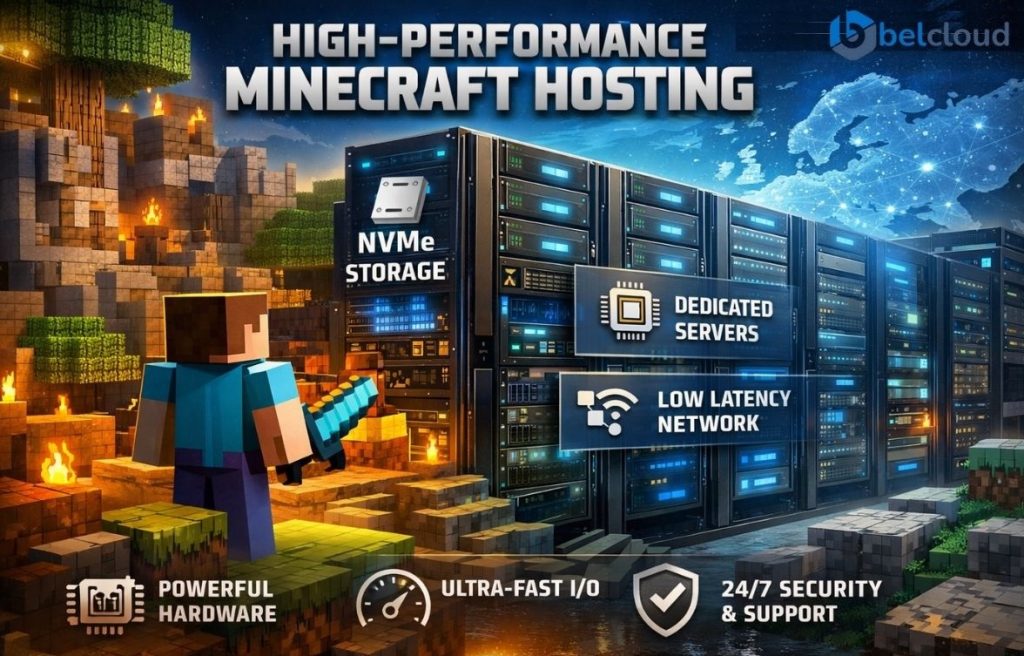
    Storage also plays a major role. Minecraft servers constantly read and write chunk data, player files, plugin databases, logs, and backups. Traditional SATA SSDs can become bottlenecks during heavy disk activity, while NVMe storage significantly improves chunk generation, world saves, and backup operations.

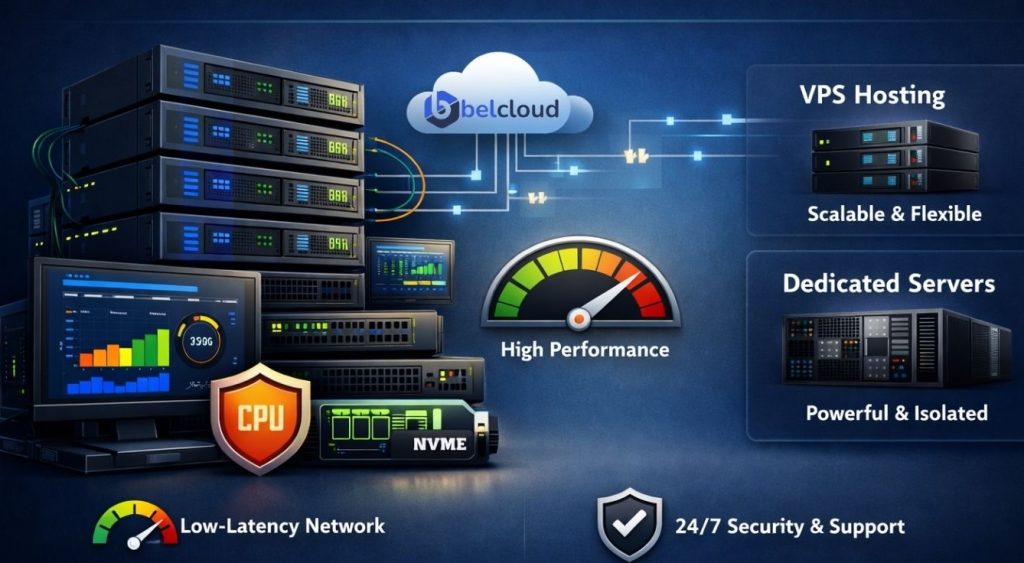
    Belcloud VPS and dedicated server infrastructure is designed to support sustained multiplayer workloads with enterprise-grade NVMe performance and reliable compute resources.

    VPS vs Dedicated Servers

    VPS hosting is ideal for smaller communities, development environments, and lightweight multiplayer worlds where scalability and flexibility are priorities.

    Dedicated servers are better suited for large public networks, heavily modded environments, and performance-sensitive deployments that require predictable compute performance, hardware isolation, and sustained throughput under load.

    Low-Latency Infrastructure and Networking

    Latency directly affects multiplayer responsiveness. Belcloud operates infrastructure across multiple European regions, including the Netherlands, Sweden, Bulgaria, and Romania, helping reduce packet delays and improve network consistency for European player bases.

    Minecraft servers are also highly sensitive to packet loss, jitter, and bandwidth congestion. Belcloud infrastructure includes enterprise-grade routing, high-bandwidth connectivity, private VLAN support, and redundant networking designed for stable multiplayer performance.

    Security and Reliability

    Public-facing Minecraft servers are frequent targets for DDoS attacks and unauthorized access attempts. Belcloud provides GDPR-compliant, ISO-certified infrastructure with operational redundancy and 24/7 engineering support to help maintain uptime and service continuity.

    Build on Enterprise Infrastructure

    Modern Minecraft hosting requires more than basic shared hosting. Whether you are deploying a lightweight VPS or running a large multiplayer network, infrastructure quality directly impacts long-term stability and player experience.


    Visit Belcloud.net or contact the Belcloud team to learn more about VPS and dedicated server solutions for multiplayer gaming environments.

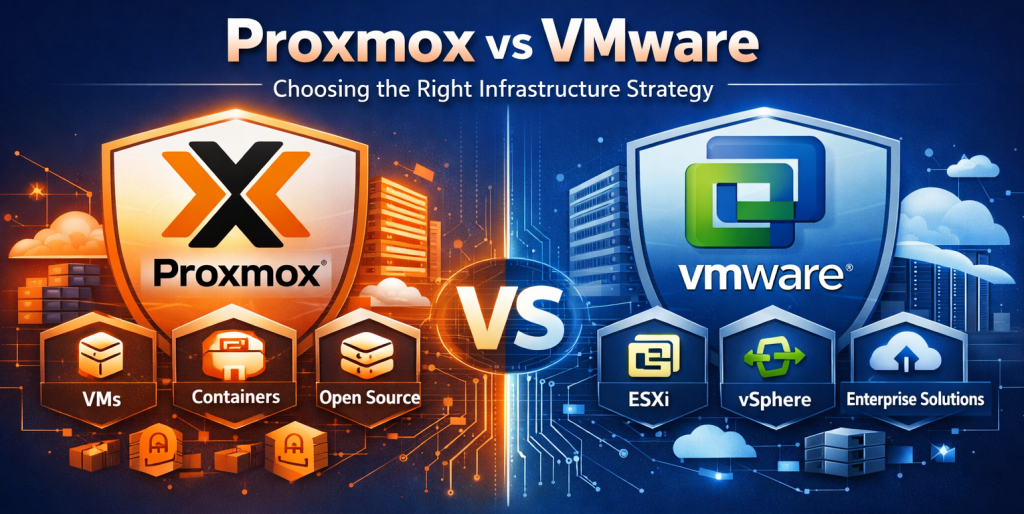
  • Proxmox vs VMware: Choosing the Right Infrastructure Strategy

    Virtualization powers modern infrastructure, from private clouds to enterprise workloads and containerized systems.

    In 2026, the focus is no longer just features, but flexibility, efficiency, scalability, and cost.

    With VMware licensing changes reshaping the market, many organizations are evaluating alternatives like Proxmox VE.

    So how do they compare technically?


    VMware: The Enterprise Virtualization Powerhouse

    VMware leads enterprise virtualization with ESXi, vCenter, vSphere, and VMware Cloud Foundation (VCF).

    Its Type 1 hypervisor runs directly on hardware with low overhead, making it a standard for large-scale environments.

    VMware is known for strong orchestration, workload management, certified hardware support, stability, and a large ecosystem.

    Features like vMotion, DRS, Fault Tolerance, NSX, and disaster recovery tools make it widely used in mission-critical systems and regulated industries.


    What Changed After Broadcom’s Acquisition?

    VMware shifted to subscription licensing, reduced perpetual options, and bundled products into VMware Cloud Foundation.

    Many organizations reported higher renewal costs, especially in smaller environments.

    This has increased interest in alternative platforms.


    Proxmox VE: Open-Source Virtualization

    Proxmox VE is a Debian-based platform combining KVM virtualization, LXC containers, storage, and clustering.

    It provides direct access to the Linux ecosystem, enabling flexible networking, automation, and customization. It includes KVM, LXC, Ceph, ZFS, clustering, and high availability in one stack. It is widely used by hosting providers, MSPs, DevOps teams, SMBs, and cost-focused environments.


    Technical Advantages of Proxmox

    Proxmox supports both VMs and containers natively, improving resource efficiency.

    VMs handle heavier workloads, while containers run lightweight Linux services with lower overhead. It integrates with Ceph and ZFS for distributed storage, snapshots, replication, backups, and software-defined storage without proprietary systems.

    Linux-native tooling also simplifies automation and operations.


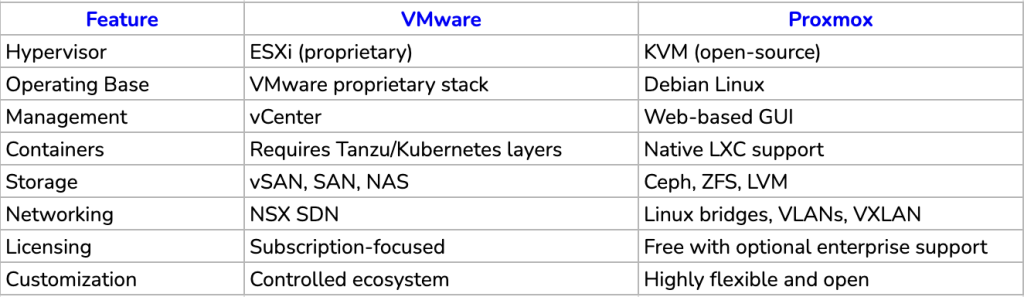
    VMware vs Proxmox: Core Technical Differences


    Performance and Scalability

    Both platforms perform well; differences depend more on infrastructure design than the hypervisor.

    VMware excels in standardized enterprise environments with strong orchestration and automation.

    Proxmox excels in flexible Linux-based environments with mixed workloads and cost-efficient scaling.

    Both scale well but follow different architectural models.

    Setting Up Proxmox

    Deploying Proxmox VE is generally more straightforward than traditional enterprise hypervisor stacks. After installing the ISO on a physical server, administrators can access the system through a web-based interface using the server’s IP address. Initial configuration typically involves setting up storage (such as ZFS or LVM), defining network bridges, and optionally forming clusters for multi-node environments. Virtual machines and containers can then be deployed directly from the GUI or automated via the CLI. As the infrastructure grows, features such as backups, snapshots, and high availability can be enabled incrementally, making Proxmox flexible enough for small deployments while still scaling effectively for more complex infrastructure needs.


    Which Platform Makes More Sense in 2026?

    VMware is best for large enterprises, regulated industries, and VMware-centric environments requiring deep ecosystem integration.

    Proxmox is better suited for SMBs, hosting providers, MSPs, startups, and cost-sensitive environments.

    It delivers virtualization, clustering, HA, and storage with fewer licensing constraints.


    Final Perspective

    The Proxmox vs VMware decision in 2026 is less about technology and more about cost, control, and operational strategy.

    VMware remains the most mature enterprise ecosystem.

    Proxmox has become a strong alternative offering flexibility and cost efficiency.

    The key question is:

    “Does VMware’s ecosystem still justify its cost and complexity?”

  • Turn One Dedicated Server into a Hosting Business

    Breaking into the hosting industry is often seen as complex and expensive. In reality, it can be surprisingly simple, especially with the right infrastructure and support.

    At Belcloud, our white label reseller program makes it possible to start your hosting business with minimal upfront investment and scale at your own pace.


    Start Small: One Dedicated Server is Enough

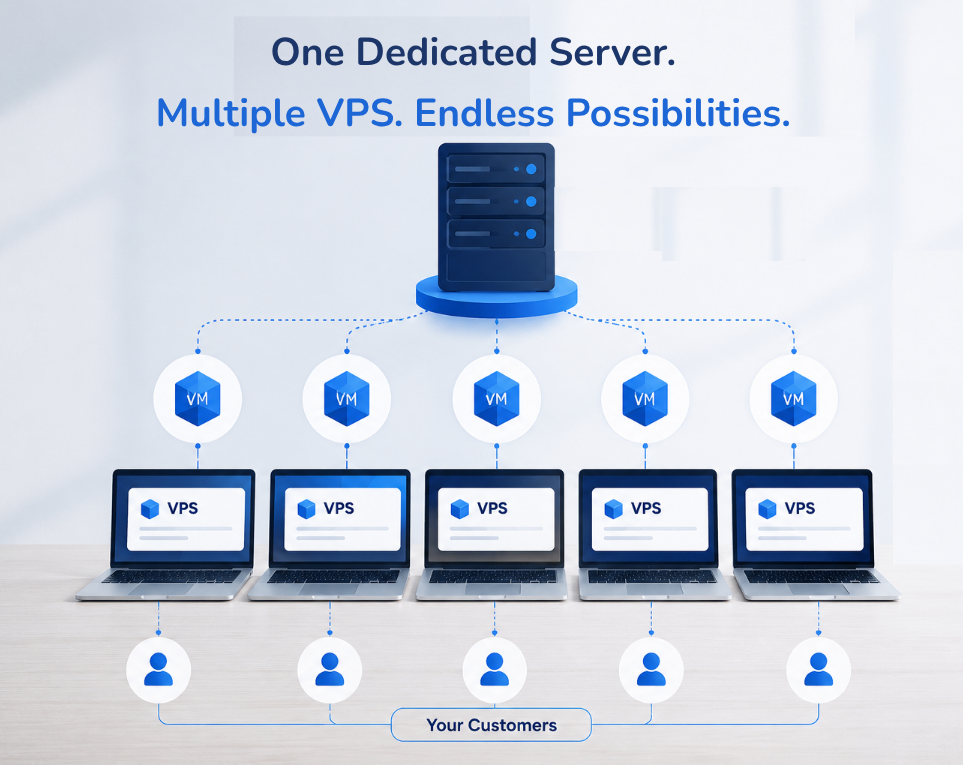
    You do not need a full data center to begin. One dedicated server is enough to get started:

    • Rent a dedicated server from Belcloud
    • Install a free virtualization platform like Proxmox
    • Split the server into multiple virtual machines
    • Offer each virtual machine as a Virtual Private Server (VPS) to your customers

    This setup transforms a single physical server into multiple revenue-generating products.

    Turn Infrastructure into Income

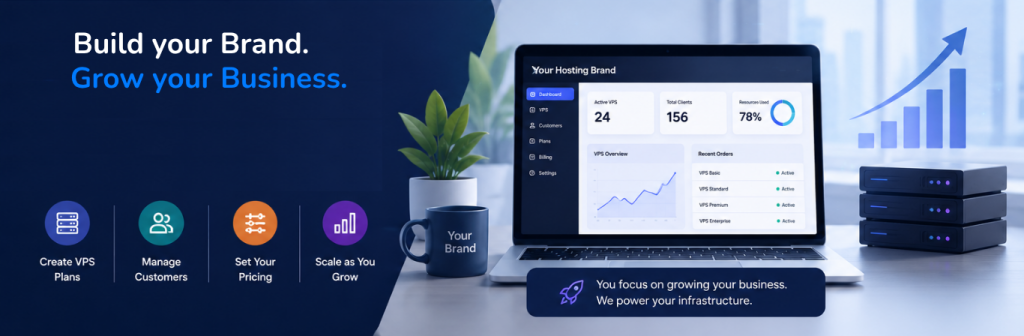
    With your server virtualized, you control your own hosting environment. You can:

    • Create VPS plans (small, medium, large)
    • Set your own pricing
    • Manage your customers directly
    • Scale resources as demand grows

    Instead of simply renting infrastructure, you are building a hosting business.

    What You Need to Get Started

    The requirements are minimal:

    A simple website to showcase your services
    One dedicated server from Belcloud
    The drive to grow your business

    No heavy infrastructure or large upfront costs are required.

    Partner with Belcloud

    As a reseller, you are backed by Belcloud’s infrastructure and generous white label program. We provide the technology, while you build your brand, set your pricing, and grow your customer base.


    Start Your Hosting Business Today

    There has never been a more accessible time to enter the hosting industry. With one dedicated server, the right tools, and Belcloud as your partner, you can launch a scalable hosting business and start generating revenue.


    Ready to begin? Contact us today at belcloud.net and start your journey as a reseller.

  • Cloud Storage That Fuels Growth, Without the Complexity


    Cloud storage powers everything from apps to analytics. Yet for many teams, it’s still harder than it should be.

    At Belcloud, we cut through the complexity, delivering storage that’s easy, scalable, and fully S3‑compatible so you can focus on growth, not configuration.

    Real‑World Use Cases

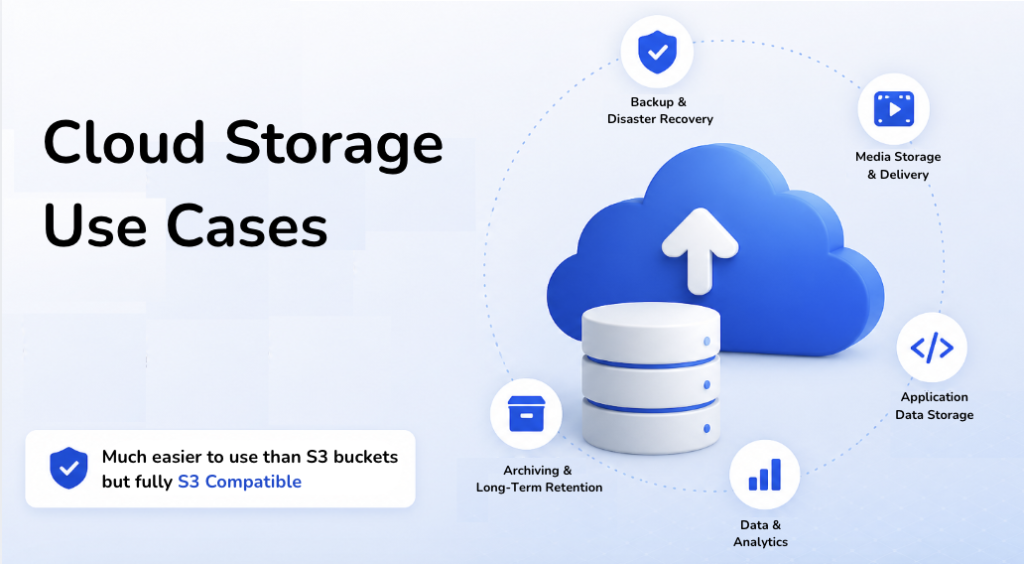
    1. Backup & Disaster Recovery  

    Protect critical data with automated backups and rapid recovery. Keep operations running, even when systems fail.

    2. Media Storage & Delivery  

    Host and deliver images, videos, and user uploads at scale, without performance bottlenecks.

    3. Application Data Storage  

    Effortlessly manage logs, files, and app data with APIs that plug directly into your workflows.

    4. Data & Analytics  

    Store massive datasets for AI, ML, and reporting, scaling storage independently from compute.

    5. Archiving  

    Secure, cost‑efficient long‑term storage for compliance, audits, and historical records.


    The Challenge with Traditional S3

    S3 is powerful, but often too technical. Buckets, permissions, and access keys slow teams down when all they need is reliable storage that just works.

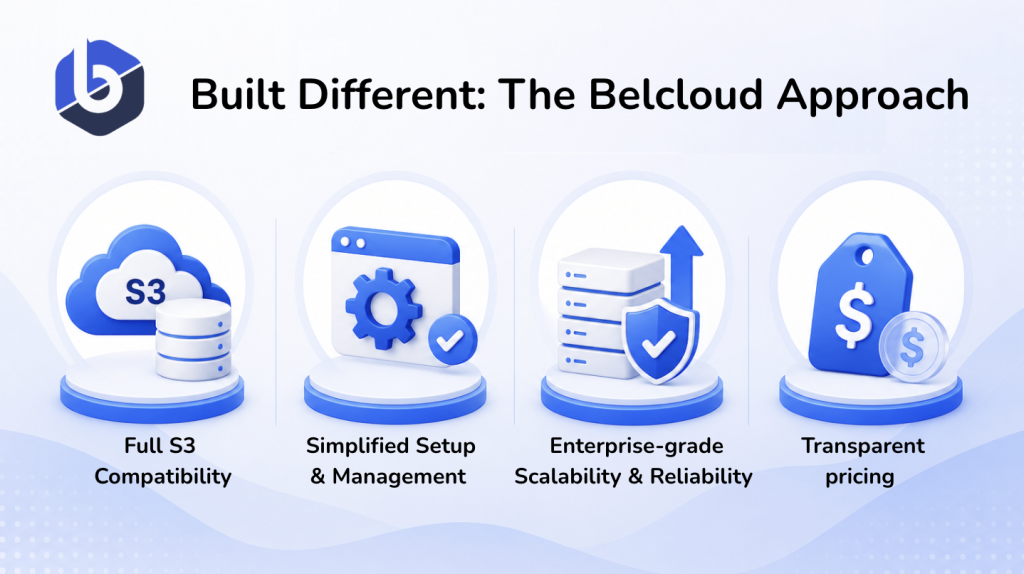
    Belcloud’s Better Approach

    With Belcloud, you get:

    • Full S3 compatibility – use the same tools and integrations
    • Simplified setup & management – no unnecessary complexity
    • Enterprise‑grade scalability & reliability – built for growth
    • Transparent pricing – no hidden surprises

    In short: the power of S3, without the friction.

    Why It Matters

    When storage is simple: Teams move faster

    Developers build instead of configure

    Businesses scale without delays

    S3 compatibility ensures flexibility. Simplicity ensures adoption. Together, they drive growth.

    Final Thought

    Cloud storage should accelerate your business, not slow it down.

    With Belcloud, you get powerful, S3‑compatible storage that’s actually simple to use.


    Ready to simplify your storage? Explore belcloud.net today.